

Instead of manually guessing your quarterly tax payment from Shopify deposits, reconcile sales to your books, forecast taxable income, and calculate the installment before paying. This guide connects store records to a documented tax decision; CEOHAVEN provides tax planning, tax preparation, and bookkeeping for entrepreneurs.
TL;DR
- Shopify to accurate quarterly tax payments starts with reconciled bookkeeping, not a percentage of deposits.
- CEOHAVEN tax planning fits entrepreneurs who need bookkeeping and estimated income tax decisions connected.
- Compare current-year liability with federal safe harbors before choosing an installment.
- Keep sales tax liabilities separate from income tax reserves and payment records.
Why this matters
A Shopify payout is cash movement, not taxable profit. Processing fees, refunds, sales tax, inventory costs, and payout timing prevent a bank deposit from telling you what you owe.
Your store is also only part of your tax return. Wages, investment income, other businesses, deductions, credits, and filing status affect the owner's estimated liability. A profitable store does not produce a reliable personal tax estimate in isolation.
CEOHAVEN tax planning is best for entrepreneurs who need bookkeeping, tax preparation, and estimated tax decisions connected. The trade-off is preparation: consulting does not replace complete records, and no adviser can calculate from missing inventory or unreconciled deposits.
For 2026, keep two targets visible: the amount needed to address estimated-payment requirements and the amount needed to fund your projected final tax bill. Those targets are not always equal.
Before you start
- Access and records: Have Shopify reporting access, Shopify Payments payout records if applicable, external processor statements, bank statements, and bookkeeping access. Include invoices, inventory records, refunds, and business expenses paid outside Shopify.
- Tax context: Gather your prior-year filed return, current entity classification, filing status, withholding information, estimated payments already made, and records of other household income. Confirm who calculates the estimate and who authorizes payment.
- The payout gotcha: A payout can include transactions from different reporting periods and deductions that never appear as separate bank withdrawals. Reconcile transactions and settlements before forecasting profit; do not record the bank deposit as sales and also import the underlying orders.
Do not configure a payment automation yet. First establish whether you are calculating an individual owner's estimated taxes or a separate entity's liability. An LLC label alone does not answer that question.
Sales records
Build the source package
- Open Shopify admin, select Analytics, then Reports. Open the relevant sales report and set the reporting period to match your bookkeeping close.
- Select Export and retain the report with the period clearly identified. Keep the original file unchanged; make adjustments in your working copy or accounting records.
- Collect sales, discounts, refunds, shipping charges, and tax amounts. Obtain payout and fee records separately rather than expecting a sales report to explain every bank deposit.
- If you use Shopify Payments, open Finance, then Payouts, and review the settlements covering the close period. If another processor handles payments, obtain its settlement records directly.
- Collect expenses outside Shopify: advertising, fulfillment, subscriptions, payroll, professional fees, and inventory purchases. Attach supporting records rather than relying on a bank description alone.
Expected result: You have a source package that explains customer transactions, processor settlements, and operating costs for the same reporting period.
Keep Shopify's reporting time zone consistent with your close policy. A sale near midnight can otherwise appear in different periods across exports and bank records.
For the accounting foundation, use the bookkeeping for e-commerce sellers guide. The quarterly estimate should consume closed books, not bypass them.
Payout reconciliation
Connect transactions to cash
- Record customer sales using the accounting method established for your business. Separate collected sales tax from revenue when it is a liability owed to a taxing authority.
- Record discounts, refunds, processor fees, and chargebacks in the appropriate accounts. Preserve enough transaction detail to explain differences without treating every difference as an expense.
- Use a processor clearing account to connect sales activity with settlements. Post the actual bank deposit against that account rather than entering another sale.
- Match each settlement to the bank. Leave genuinely unsettled transactions in the clearing account and document their subsequent settlement.
- Review inventory and cost of goods sold before approving profit. Apply your established tax accounting method; inventory purchases do not automatically equal the period's deductible cost of goods sold.
Expected result: The books explain both sales and deposits, and the remaining clearing balance consists of identifiable unsettled activity rather than unexplained differences.
Do not force the clearing account to zero with a miscellaneous expense. That makes a balance disappear without explaining it.
Establish the close gate
Before using profit in a tax forecast, confirm that bank balances reconcile, refunds are recorded, material expenses are classified, and inventory treatment is consistent. Assign unresolved items to an owner with a clear resolution date.
Your process follows four connected units: Sales records, Payout reconciliation, Profit forecast, and Payment record. Skipping reconciliation leaves every later decision dependent on a number you have not verified.
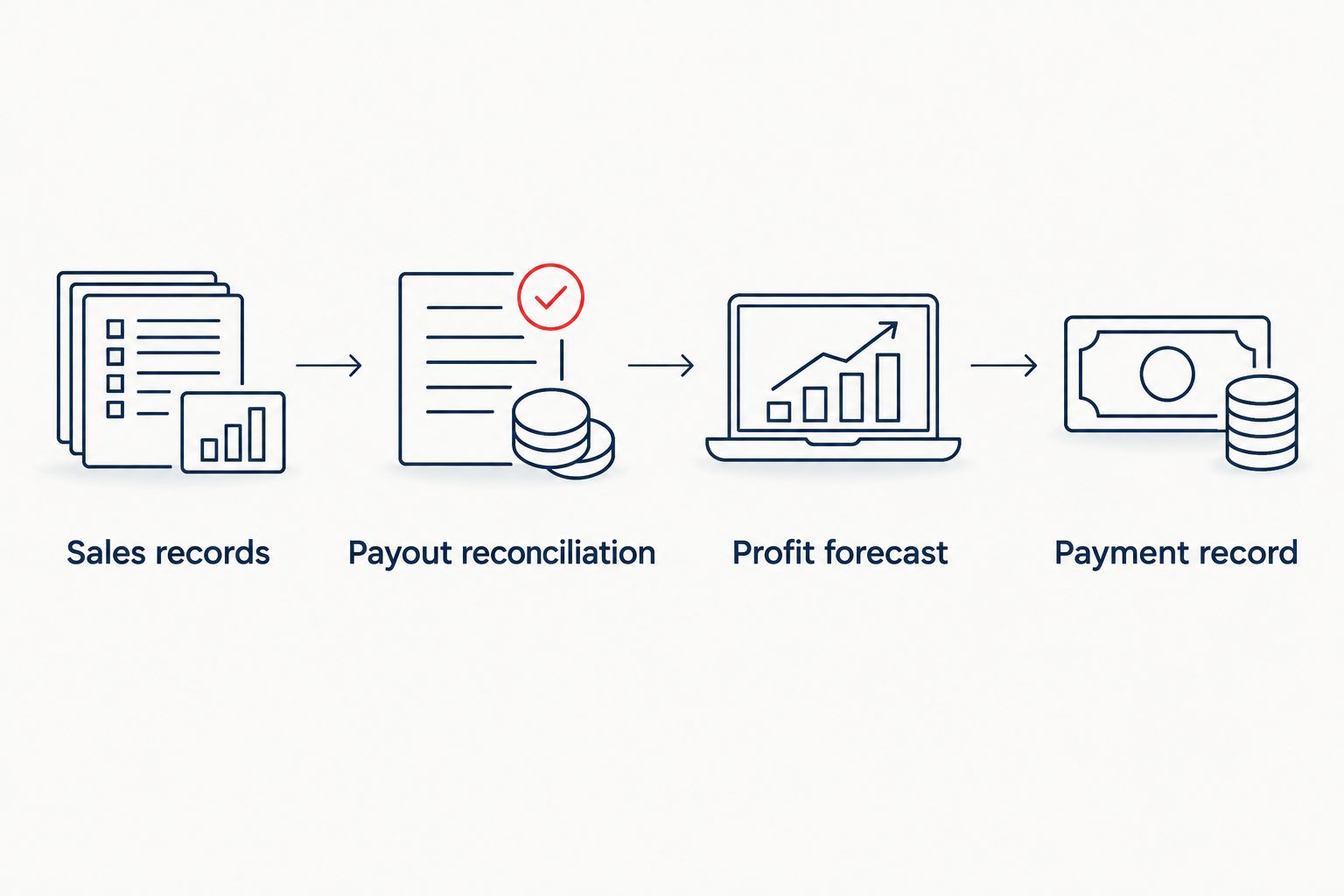
Reconcile cash movement before using profit to calculate an installment.
Profit forecast
Calculate the taxpayer's estimate
- Start with reconciled year-to-date profit. Document the assumptions for the remaining year, including seasonality, planned spending, returns, and inventory treatment.
- Identify the taxpayer. Sole proprietors and owners of pass-through entities generally address business income on individual returns, while a C corporation has separate federal income tax obligations. Keep owner estimates and entity obligations distinct.
- Add the rest of the return: wages, spouse income for a joint return, investments, other businesses, and relevant deductions and credits. Include self-employment tax when applicable.
- Use the applicable estimated-tax worksheet to calculate projected liability. For individual federal estimates, use IRS Form 1040-ES for 2026 rather than multiplying revenue by a universal percentage.
- Compare the current-year estimate with the applicable prior-year safe harbor. Account for withholding and earlier estimated payments under the installment rules before calculating the next amount due.
- Calculate state obligations separately. Check residency, business activity, entity elections, payment accounts, and state-specific rules instead of copying the federal result.
Expected result: You have a documented installment calculation, a separate forecast of the eventual tax bill, and a reserve plan that accounts for both.
Choose the calculation method deliberately
Under the federal individual rules described in IRS Form 1040-ES, the general safe-harbor comparison uses 90% of current-year tax or 100% of prior-year tax, whichever is smaller. The prior-year return must cover 12 months.
For taxpayers whose prior-year adjusted gross income exceeds $150,000, the prior-year percentage generally becomes 110%. The income threshold is $75,000 for married filing separately. These are tax thresholds, not business revenue targets; special rules apply in some circumstances.
| Calculation method | Best for | Advantage | Limitation |
|---|---|---|---|
| Prior-year safe harbor | Owners seeking a predictable federal payment baseline | Uses a filed return rather than relying entirely on a forecast | Can leave a substantial balance when current income rises; installment timing still matters |
| Current-year estimate | Owners with a supportable income forecast | Connects payments and reserves to expected liability | Requires updates when income, deductions, or withholding change |
| Annualized income method | Owners with uneven income during the year | Reflects when income was earned | Requires period-specific calculations and supporting records |
A safe harbor addresses underpayment exposure; it does not cap your final tax bill. Keep the expected balance due visible even when the scheduled installments satisfy a payment baseline.
For 2026 planning, do not treat an income tax reserve as spendable cash simply because the next installment is covered.
Payment record
Authorize, pay, and verify
- Create a payment worksheet showing the taxpayer, jurisdiction, tax period, calculation method, withholding assumptions, earlier payments, and approved installment. These are your worksheet fields, not Shopify settings.
- Have the responsible taxpayer or adviser approve the amount. Separate the calculation from the transfer so a changed forecast does not silently trigger an unreviewed payment.
- Use the appropriate government payment channel. For an individual federal estimate, IRS Direct Pay supports estimated income tax payments; select the correct reason, form, and tax period shown in the payment flow.
- Schedule payment by the applicable deadline. For a calendar-year individual, the first three federal estimated-tax deadlines in 2026 are April 15, June 15, and September 15; the final installment generally falls in January after the tax year, with weekend and holiday adjustments.
- Save the confirmation and verify the bank withdrawal. Update the worksheet only after distinguishing a scheduled payment from a completed payment.
- Record the transfer correctly. An owner's personal federal estimated income tax payment is not a deductible operating expense of a sole proprietorship; use the appropriate owner or equity treatment.
Expected result: Every completed payment has an approved calculation, the correct taxpayer and period, a confirmation, and a matching cash movement.
Calendar the deadlines individually. Federal estimated-tax periods are not four equal calendar quarters, so a reminder every three months is not a substitute for the actual schedule.
Connect your books and tax plan
Discuss bookkeeping, tax planning, and preparation with CEOHAVEN.
Recalculate whenever income changes
The adjacent workflow is a forecast update, not an automatic payment after every sale. A sales increase changes the inputs; it does not independently determine the tax due.
- Establish a monthly close as the recurring review point. Also flag material changes such as a new income source, changed payroll withholding, an entity change, or unusually large refunds.
- Replace the forecast's year-to-date figures with reconciled actual results. Keep the earlier version so you can explain why the payment recommendation changed.
- Recalculate remaining-year income, deductions, credits, and withholding. Compare the revised installment schedule with payments already credited.
- Update reserves and obtain payment approval. Do not assume a larger later payment erases an earlier installment shortfall.
Expected result: Your next payment reflects the latest complete facts, with a visible explanation for the change.
For a seasonal Shopify business, discuss the annualized income method before relying on equal installments. IRS Form 2210, Schedule AI uses cumulative periods covering 3, 5, 8, and 12 months, not ordinary calendar quarters.
A 2026 forecast built from those periods needs matching records. Annualization is a calculation method with documentation requirements, not a label you add to justify paying later.
Troubleshooting
- Profit looks lower because payouts are net of fees. Compare sales records with settlement deductions. Record fees separately and check whether deposits were incorrectly treated as gross revenue.
- Revenue appears twice after importing transactions. Check whether both order activity and bank deposits were entered as sales. Correct the duplicate and match settlements through the clearing account.
- The estimate ignores collected sales tax. Review liability accounts and payment records. Keep sales tax remittance separate from federal and state income tax estimates.
- The payment amount is right but the tax period is wrong. Review the confirmation immediately and contact the relevant taxing authority about correction procedures. Do not assume the bookkeeping entry changes the government's allocation.
- A strong late season creates an earlier-period shortfall. Review installment timing and whether annualization applies. Increasing the final transfer alone does not establish that earlier underpayment penalties disappear.
Customize your workflow
Keep one reporting calendar, one approved forecast, and one payment record for each taxpayer. Add separate tracks for state obligations, payroll deposits, and sales tax rather than combining different taxes into a single reserve balance.
Define the handoffs explicitly: bookkeeping closes the records, tax planning converts them into a liability forecast, and the authorized payer completes the transfer. Software can move records; it does not decide your filing status or resolve an inventory accounting question.
For your 2026 process, document the assumptions alongside the numbers. When the business changes, the next reviewer should see what changed without reconstructing the entire year.
FAQ
Can Shopify calculate my quarterly income tax payments?
Shopify sales and payout records do not establish your quarterly income tax liability. You need reconciled profit, the taxpayer's other income, deductions, withholding, and an applicable estimated-tax calculation.
Should I pay quarterly taxes on Shopify revenue or profit?
Start with taxable business profit, not gross Shopify revenue or net payouts. The final estimate also depends on entity classification, other income, deductions, credits, and applicable taxes.
What's the safest way to estimate taxes when my Shopify income changes?
Compare a current-year forecast with the applicable federal safe harbor and review installment timing. A safe harbor can address underpayment exposure while still leaving a balance due on the final return.
Are Shopify sales tax payments the same as quarterly income taxes?
No, sales tax remittances and estimated income tax payments are different obligations. Keep collected sales tax, income tax reserves, and their payment records separate.
Can I automate a tax payment after every Shopify payout?
You can design an automated reserve transfer, but a payout-based transfer is not a calculated tax installment. Reconcile the books, update the forecast, and approve the actual payment separately.
What if my store earns most of its income late in the year?
Review the annualized income method for uneven income. It requires records for the prescribed cumulative periods and does not automatically remove an earlier underpayment.
Does meeting a safe harbor mean I have paid all my taxes?
No, meeting an applicable estimated-payment safe harbor does not mean your final tax bill is fully funded. Maintain a separate current-year liability forecast and reserve for the expected balance.
One last thing
A clean bank reconciliation can still feed a wrong tax estimate. It proves that recorded cash agrees with the bank, not that inventory, deductions, taxpayer classification, or other household income is correct.
Before authorizing an installment, ask for the calculation and its assumptions—not just the amount. That is the difference between moving money and making a tax decision.