

Instead of manually rebuilding transaction histories whenever your accountant asks, use a QuickBooks to audit ready books workflow that connects source documents, reconciled accounts, reviewed adjustments, and a controlled monthly close. This 2026 guide explains the process in QuickBooks Online; CEOHAVEN provides bookkeeping, tax planning, and tax preparation for entrepreneurs, investors, creators, and high-income professionals.
TL;DR
- The QuickBooks to audit ready books workflow requires reconciliations, supporting documents, reviewed adjustments, and controlled closing dates.
- QuickBooks Online organizes accounting records; a bank feed alone does not establish accurate books.
- CEOHAVEN bookkeeping fits entrepreneurs seeking tax planning and tax preparation alongside their accounting records.
- Audit-ready means prepared for examination, not audited or guaranteed to pass an audit.
Why this matters
A clean dashboard is not the same as defensible books. A reviewer needs to trace a balance from the financial statements to the ledger, then to evidence that explains the transaction. Missing contracts, undocumented owner transfers, and unsupported journal entries break that chain even when your bank accounts reconcile.
For your 2026 books, define audit-ready as organized, reconciled, supported, and reviewable. An independent financial-statement audit is a separate engagement. Tax preparation also has different objectives from financial-statement assurance; tell your accountant which review you are preparing for before choosing accounting policies.
CEOHAVEN bookkeeping is best for entrepreneurs and high-income professionals seeking tax planning and tax preparation alongside their books. The benefit is bringing those services into the same conversation. The boundary matters: engaging a bookkeeping and tax consulting firm does not, by itself, constitute an independent audit.
Before you start
- Secure access and ownership. Have access to the correct QuickBooks Online company, reconciliation functions, reports, and closing settings. Assign someone to prepare the books and someone to review them. Use individual logins rather than shared credentials so changes remain attributable.
- Collect the actual evidence. Gather bank and credit-card statements, processor settlement reports, invoices, receipts, payroll reports, loan statements, and relevant contracts. Agree with your accountant on the reporting basis, entity boundaries, and required supporting schedules before beginning your 2026 close.
- Check the opening balance first. A changed transaction from an already reconciled period can disrupt the next reconciliation. Compare the opening balance with the previous completed reconciliation before entering new adjustments; do not create a balancing entry merely to make the screen agree.
Set a working policy of 1 formal close per month, producing 12 closes per year. This is a recommended operating cadence, not a legal deadline. Put preparation, review, and approval dates on your calendar, with named owners for each task.
Source records and transaction intake
The intake stage establishes what happened before you decide how to categorize it. Connected accounts help collect transactions, but the feed is not the supporting document and does not determine the correct accounting treatment.
- Build an account inventory. List every business bank account, credit card, payment processor, loan, and relevant clearing account. Compare that inventory with the accounts in QuickBooks Online. Include inactive accounts that still contain activity or balances.
- Create a document structure. Organize evidence by entity, period, and account. Give each document a recognizable name and retain its connection to the related transaction. Keep contracts and financing agreements accessible beyond the month in which you signed them.
- Review imported transactions before recording them. Match an imported item to an existing payment, deposit, or transfer when it represents the same event. Adding it again creates duplicate activity. Review automated categorization rules before applying them broadly.
- Separate exceptions from routine expenses. Flag owner contributions, distributions, intercompany transfers, asset purchases, debt payments, and unusual receipts. Record the business purpose and request classification decisions from the accountant responsible for the books.
Expected result: Every recorded transaction has an identifiable source, and unresolved items sit on an exception list rather than disappearing into a miscellaneous account.
For property owners, preserve the property reference with the transaction. For creators, retain platform settlement detail rather than relying only on the net amount arriving in the bank.
Account reconciliation
Reconciliation establishes agreement between your accounting records and an external account statement. It does not prove that every transaction belongs in the category you selected.
- Open the statement and the reconciliation page. In QuickBooks Online, open Reconcile and select the account. Use the issued statement for the period, not an account's changing online balance.
- Check the starting point. Verify Beginning balance against the prior reconciliation. Enter the statement's Ending balance and Ending date, then select Start reconciling. If the beginning balance is wrong, resolve the earlier discrepancy before continuing.
- Compare transactions individually. Confirm dates, amounts, and descriptions against the statement. Investigate duplicates, missing fees, transfers entered as expenses, and payments recorded in the wrong account. Leave genuinely outstanding transactions uncleared rather than forcing them into the statement period.
- Finish only after resolving the difference. Require a $0 reconciliation difference before selecting Finish now. Retain the reconciliation report with its supporting statement. Record explanations for unusual outstanding items and assign follow-up responsibility.
Expected result: Each statement account has a completed reconciliation, matching evidence, and a documented list of outstanding items.
Treat transfers as one movement between accounts, not revenue in one account and an expense in another. For credit cards, distinguish card purchases from payments of the card balance; recording both as expenses duplicates the deduction in your books.
Balance review and adjustment support
Reconciled cash is only part of the close. Your 2026 balance review must also explain receivables, payables, debt, payroll liabilities, assets, and equity wherever those accounts apply to your business.
- Run the core reports. Open Reports and run Profit and Loss, Balance Sheet, Trial Balance, and General Ledger for the close period. Use the same reporting basis and dates across the reports. Save the settings with the close instructions so another reviewer can reproduce them.
- Tie balances to supporting schedules. Compare receivables and payables with their detail reports. Tie loans to statements and amortization support, payroll liabilities to payroll records, and fixed assets to an asset schedule. Investigate negative or unexpected balances instead of accepting them because the reports balance.
- Document each adjustment. Record the reason, effective date, accounts affected, supporting calculation, and reviewer approval. Ask your accountant to determine treatment for depreciation, accruals, prepaid expenses, and other nonroutine entries. A journal entry should explain an economic event, not conceal an unexplained difference.
- Resolve the exception list. Assign an owner and next action to each remaining question. Distinguish an unresolved accounting error from a documented timing difference. Do not approve the close while material errors remain unaddressed; have the responsible accountant assess materiality for the reporting purpose.
Expected result: The major balance-sheet accounts have support, adjustments have explanations, and the financial statements reflect the agreed accounting policies.
Keep tax adjustments distinct from book adjustments. Your tax return and management reports can require different treatment; preserve the reconciliation between them rather than silently changing historical records.
Period controls and evidence package
Closing controls protect reviewed work. They also establish what was approved, by whom, and on which date.
- Obtain review approval. Have the reviewer inspect reconciliations, account schedules, adjustments, and open exceptions. Record approval in your close checklist. If one person performs both roles, document that limitation and arrange an additional review when the reporting purpose requires it.
- Enable the closing control. Open Settings, then Account and settings, and select Advanced. In the Accounting section, enable Close the books, set the closing date, and choose the password-protected option. Save the change and restrict the password to authorized people.
- Inspect significant changes. Use Audit log to investigate changes affecting the closed period. Record the business explanation and approval for corrections. The log helps identify activity; it does not replace receipts, statements, or adjustment calculations.
- Archive the approved package. Save the reports, reconciliations, statements, account schedules, adjustment support, and approval record together. Identify the entity, period, reporting basis, and version. Apply access controls and agree with your accountant on retention requirements.
Expected result: Your 2026 close has an approved evidence package and a controlled process for subsequent changes. Closing the books is a control, not an immutable archive; preserve the approved report copies separately.
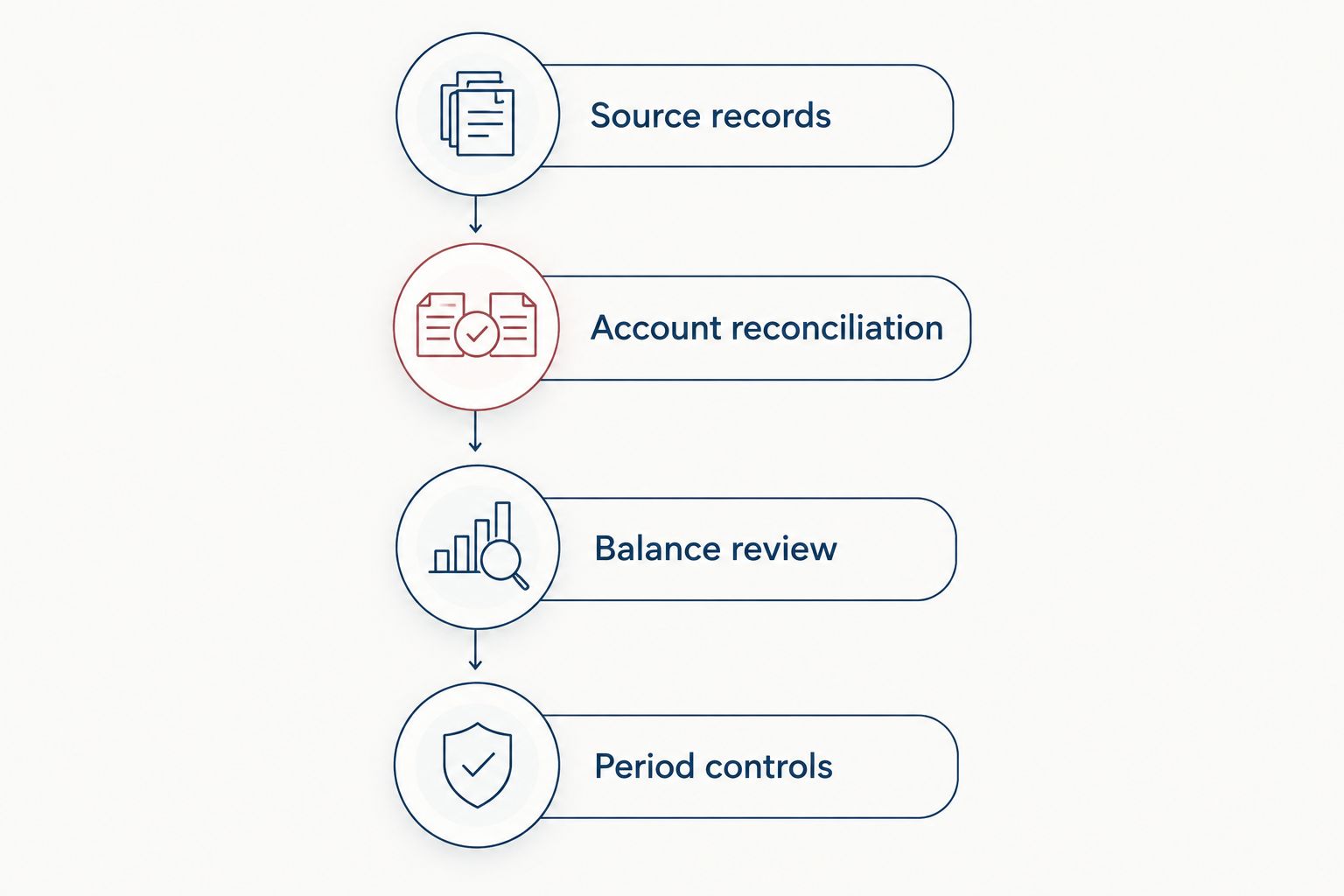
Review balances before protecting the closed period.
Update records continuously, then close monthly
You do not need to wait until month-end to collect documents and review transactions. A rolling workflow handles intake throughout the period while preserving a separate, formal close against completed statements.
Use continuous intake for preparation, not as a substitute for reconciliation. Every time a new settlement, invoice, or statement arrives, connect it to the accounting record and update the exception list. Complete the formal review after the period's evidence is available.
| Workflow | Best for | Advantage | Limitation |
|---|---|---|---|
| Monthly batch preparation | Businesses with manageable transaction activity and organized documents | Groups preparation and review into a defined close process | Missing evidence surfaces late if nobody monitors intake |
| Continuous intake plus monthly close | Businesses with frequent settlements, invoices, or account activity | Keeps supporting documents and exceptions current | Requires regular ownership; the monthly review still remains necessary |
For the rolling variant, assign a document owner, review new transaction exceptions regularly, and preserve unresolved questions for the close. Do not repeatedly reclassify the same transaction without recording why.
Both workflows reach the same destination: an approved period backed by evidence. Choose based on your transaction activity and team's capacity, not on whether a bank feed looks current.
Troubleshooting
The beginning balance does not match
Check the previous reconciliation and investigate edited, deleted, or newly unreconciled transactions. Use the reconciliation history and Audit log to trace the change. Correct the underlying issue with your accountant; do not insert an unexplained opening-balance adjustment.
Revenue exceeds the supporting sales records
Look for deposits recorded twice, loan proceeds categorized as revenue, or transfers treated as sales. Trace each suspect amount to its source. For processor activity, reconcile gross sales, fees, refunds, and settlement timing rather than equating net deposits with revenue.
The bank reconciles, but expenses are unreliable
Reconciliation verifies agreement with the statement, not business purpose or tax treatment. Review categories, missing receipts, owner spending, and asset purchases. Correct the classification while retaining evidence of the reason for the change.
A closed period changes after approval
Identify the changed records and determine their effect on approved reports. Require documented authorization before reopening the period. Save revised reports as a new version, explain the correction, and restore the closing control afterward.
Reports disagree during review
Check reporting dates, cash versus accrual basis, filters, and whether a report includes inactive accounts. Rerun the reports using the agreed settings. Investigate any remaining difference through the ledger rather than comparing screenshots with inconsistent parameters.
Customize your workflow
Expand the evidence package around the decisions your business makes. A founder managing several entities needs entity-specific records and support for intercompany activity. A rental investor needs property-level evidence. A creator receiving platform payouts needs settlement detail that explains the amounts deposited.
Keep decision records beside transaction records. When your accountant approves a treatment, preserve the explanation with the supporting schedule. This makes the next review about the business rather than a fresh reconstruction of last month's questions.
CEOHAVEN offers bookkeeping, tax planning, and tax preparation. Bring the accounting records and unresolved tax questions into that conversation, while keeping any independent audit engagement separate.
For your 2026 process, choose a preparer, reviewer, document owner, and escalation contact. One person can hold multiple responsibilities, but write them down. A workflow without ownership becomes an inbox.
Discuss your bookkeeping workflow
Connect your bookkeeping questions with tax planning and tax preparation.
FAQ
What's the best QuickBooks to audit ready books workflow?
The best QuickBooks to audit ready books workflow connects transaction evidence, statement reconciliations, balance reviews, approved adjustments, and closing controls. Use continuous document intake with a formal monthly close when your transaction activity requires regular attention.
Does connecting my bank account make QuickBooks audit-ready?
No, connecting a bank account does not make QuickBooks audit-ready. You still need supporting documents, correct classifications, completed reconciliations, and review of accounts outside the bank feed.
Are audit-ready books the same as audited financial statements?
No, audit-ready books are prepared for examination; audited financial statements result from a separate independent audit engagement. Bookkeeping and tax preparation do not provide an audit opinion.
Should I use cash or accrual reports for my 2026 close?
Use the reporting basis agreed with the accountant responsible for your 2026 books and the intended reporting purpose. Keep that basis consistent across the close package and document any reconciliation to a different tax basis.
What should I do when QuickBooks has a reconciliation difference?
Investigate the difference before completing the reconciliation. Compare the statement with recorded transactions, check the beginning balance, and correct duplicates or omissions rather than inserting an unexplained balancing entry.
Can I change a transaction after closing the books?
A correction after closing should follow a documented approval and reopening process. Preserve the original approved package, explain the change, issue revised reports, and restore the closing control.
Can CEOHAVEN help with bookkeeping and tax planning?
CEOHAVEN offers bookkeeping, tax planning, and tax preparation for entrepreneurs, real estate investors, content creators, and high-income professionals in the United States. Those services address accounting and tax needs; an independent financial-statement audit is a separate engagement.
One last thing
A zero reconciliation difference can coexist with a serious accounting error. A loan deposit categorized as sales still matches the bank statement. An owner purchase categorized as a business expense can match it, too.
Before approving the close, ask your reviewer to select an unusual transaction and trace it through the statement, ledger, supporting document, and classification decision. This is a practical process check, not an audit procedure or assurance opinion. If the explanation depends on someone's memory, the evidence package is not finished.