

Instead of rebuilding contractor totals from bank statements every filing season, use a QuickBooks 1099-NEC filing workflow that connects verified payee records, mapped expenses, payment-method checks, and filing confirmation. This guide covers QuickBooks Online preparation for payments made in 2026, with a separate review step before anything reaches the IRS.
TL;DR
- Build your QuickBooks 1099-NEC filing workflow around reconciled payments, not vendor totals alone.
- For 2026 payments, the general federal nonemployee compensation reporting threshold is $2,000 per recipient.
- Exclude qualifying payment-card and third-party network transactions from the payer’s Form 1099-NEC calculation.
- CEOHAVEN tax preparation is best for entrepreneurs seeking professional review alongside bookkeeping and tax planning.
Why this matters
A completed vendor profile is not a completed reporting decision. QuickBooks organizes transactions; you remain responsible for worker classification, reportable compensation, recipient details, and filing completion.
CEOHAVEN provides bookkeeping, tax preparation, and tax planning for entrepreneurs and other U.S. business owners. That service model suits founders who want professional support rather than another software dashboard; it does not replace the need to supply accurate contracts, payment records, and tax documents.
The distinction matters in 2026 because payment year controls the reporting threshold. Under the federal changes enacted in Public Law 119-21, the general nonemployee compensation threshold rises to $2,000 for payments made after the preceding calendar year. A return filed during 2026 does not automatically use the threshold for payments made in 2026.
Label the payment year before you open the filing screen. Never carry a threshold forward simply because it appeared on your last return.
Before you start
- Access and authority: Have access to the correct QuickBooks Online company, vendor records, transaction reports, and the person authorized to approve information returns. Confirm who will submit the federal return and handle any separate state obligations.
- Source records: Gather completed Forms W-9, contractor invoices, contracts, reconciled bank and card activity, and records of payments made outside QuickBooks. Keep tax identification documents in restricted storage, not an open project folder.
- The gotcha: An expense account does not establish reportability. Card payments and qualifying third-party network transactions generally belong under the payment settlement entity’s Form 1099-K rules, not your Form 1099-NEC reporting. Ordinary bank transfers do not automatically receive that exclusion.
This walkthrough uses QuickBooks Online, not QuickBooks Desktop. Navigation differs across Online layouts; locate Vendors or Contractors, then Prepare 1099s. Do not substitute an unfamiliar menu path without checking that you are in the correct company and reporting year.
Contractor records
Verify the recipient before tracking payments
- Open Vendors or Contractors and select the contractor record. Compare the legal name, business name, address, and taxpayer identification number against the signed Form W-9.
- Select Edit where the vendor profile provides that control. Enter the taxpayer information using the Form W-9 instructions, particularly when an individual owns a disregarded single-member LLC.
- Enable Track payments for 1099 for recipients that belong in your review population, then select Save. Treat this checkbox as a tracking setting, not a legal determination that a form must be filed.
- Search for duplicate records. A contractor entered under a personal name and a business name can split annual payments and conceal the reportable total.
- Review worker status separately. An independent contractor agreement, invoice, or Form W-9 does not by itself establish that a worker is properly classified.
Expected result: Each payee has an identifiable record supported by tax documentation, and duplicate names are resolved or explicitly reconciled.
A missing taxpayer identification number is not a reason to invent one or use the business owner’s number as a placeholder. Request the correct documentation and obtain advice on backup withholding and filing obligations when a recipient fails to provide it.
For 2026 payments, evaluate the general $2,000 annual threshold per recipient, not per invoice. Special rules still apply, including reporting when federal income tax was withheld under backup withholding, regardless of the payment amount.
Expense mapping and payment review
Connect the right accounts to nonemployee compensation
- Open Prepare 1099s from the contractor or vendor area. Confirm the payer’s legal name, taxpayer identification number, and address against the business’s tax records.
- Choose the payment year you are preparing. For payments made in 2026, review the complete calendar year rather than an invoice-date range or a partial bookkeeping period.
- Review the expense accounts used for contractor services. Map eligible nonemployee compensation to Form 1099-NEC Box 1 in the preparation workflow.
- Inspect mixed accounts individually. An account containing rent, contractor labor, and equipment purchases cannot be classified correctly from its name alone.
- Separate payment methods. Review checks, cash, direct bank transfers, card transactions, and processor records before approving the reportable total.
Expected result: The mapped accounts capture eligible services without treating every vendor expense as nonemployee compensation.
Use actual payment records. An unpaid contractor bill is not a payment merely because it appears in accounts payable, and a card-funded transaction does not become a direct bank payment because the card balance was later paid from checking.
The IRS Instructions for Forms 1099-MISC and 1099-NEC distinguish nonemployee compensation from other reportable payments. Apply those categories to the underlying transaction; do not force rent or another reporting category into Box 1 to finish the wizard.
Resolve payment-method exclusions
A payment processor’s name on a bank statement does not settle the reporting treatment. Identify whether the transaction was a payment-card or qualifying third-party network transaction under the Form 1099-K rules, or an ordinary transfer you initiated.
Keep excluded amounts in the bookkeeping records. Exclusion from your Form 1099-NEC calculation is a reporting adjustment, not an instruction to delete an expense or alter a reconciled bank balance.
Do not report the same qualifying card or network payment again merely because the contractor says no Form 1099-K arrived. The payer’s exclusion does not depend on the contractor receiving that form.
Reconciliation and approval
Prove the total before submitting
- Open Reports and review a vendor transaction report for the full payment year. Trace the candidate contractor total to the underlying payments rather than accepting a summary alone.
- Compare that payment population with the 1099 preparation preview. Explain differences caused by payment methods, unmapped accounts, refunds, duplicate profiles, or transactions assigned to the wrong vendor.
- Add documented business payments made outside the connected bank feeds. Check that adding them does not duplicate transactions already recorded through another route.
- Review each recipient’s name, taxpayer identification number, mailing address, and Box 1 amount. Resolve exceptions before authorizing submission.
- Save the approved preview and supporting reconciliation in restricted storage. Assign an approver and record approval before the filing step.
Expected result: Every difference between the books and the proposed information return has an explanation supported by records.
A useful reconciliation follows this sequence: Payment records, Reporting exclusions, Recipient review, Filing approval. Keep that sequence visible in your close checklist so a corrected vendor record does not bypass the payment review.
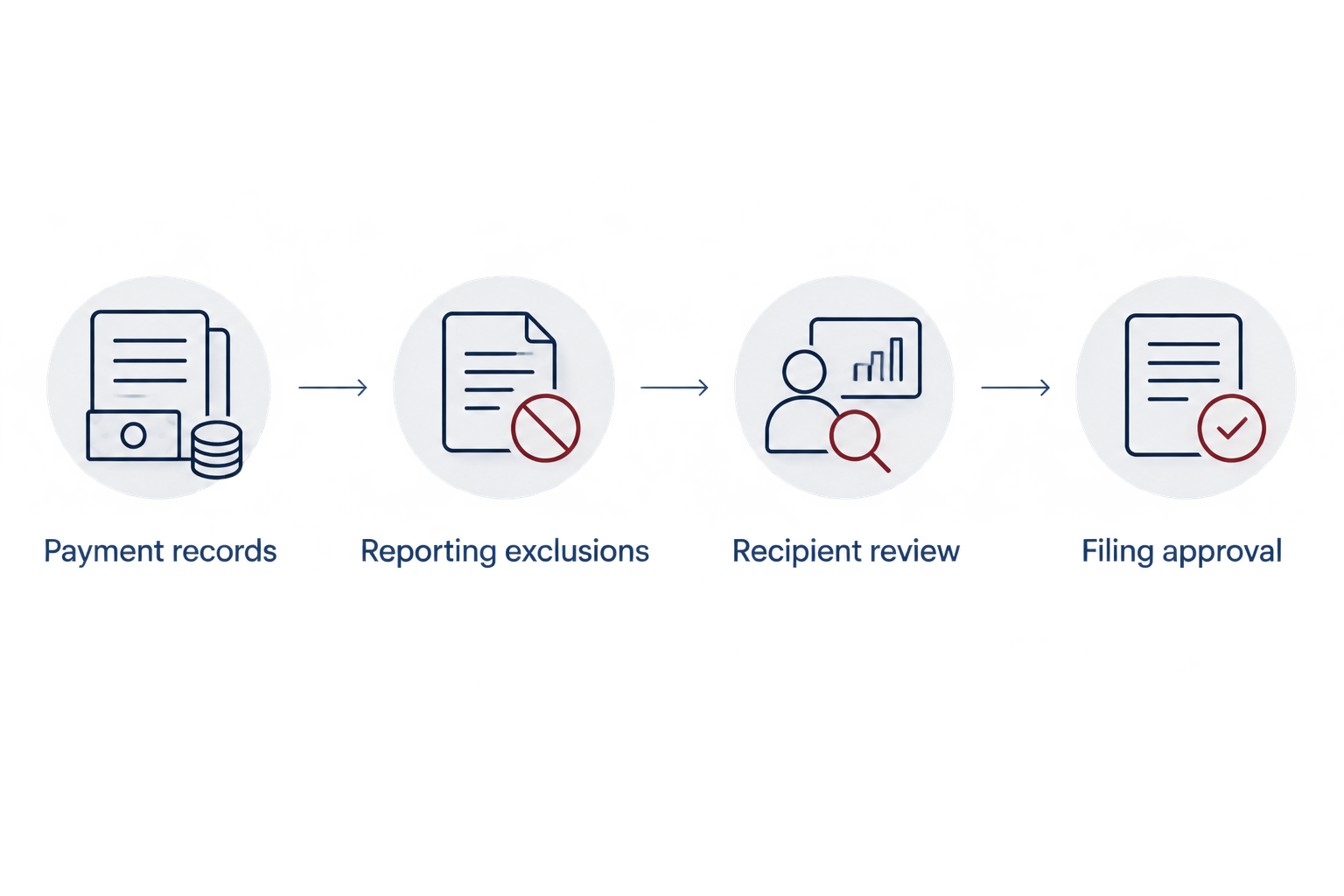
Approve the filing only after explaining the difference between recorded expenses and reportable payments.
Do not make a journal entry solely to force a reporting preview to match your expectation. Correct an accounting error in the books; resolve a reporting classification in the reporting workflow. Those are different jobs.
Filing and delivery
Close the loop with acceptance evidence
- Return to Prepare 1099s and inspect the final forms. Confirm that any changes made during reconciliation appear in the preview.
- Follow the filing service’s submission prompts only after approval. If you use a separate transmitter, transfer the approved data securely and identify which party is responsible for submission.
- Arrange recipient delivery using a permitted method. Electronic delivery generally requires the recipient’s affirmative consent; having an email address is not enough.
- Monitor the filing status. Save evidence of IRS acceptance, not just a submission receipt or confirmation that data was uploaded.
- Check state filing and recipient-copy requirements separately. Do not assume federal submission completes every jurisdiction’s obligation.
Expected result: You retain the filed forms, acceptance evidence, recipient-delivery records, and any separate state confirmations.
Under the IRS General Instructions for Certain Information Returns, Form 1099-NEC is generally due to the IRS and recipients by January 31 following the payment year, subject to weekend and legal-holiday adjustments. Verify the applicable calendar deadline rather than treating January 31 as an unchanging business-day cutoff.
The federal electronic-filing threshold generally applies when you file 10 or more information returns in aggregate, not merely 10 Forms 1099-NEC. Count the applicable return types together under the IRS aggregation rules before choosing a filing method.
Second workflow: review contractors whenever records change
An annual preparation workflow assembles a filing. A recurring review workflow keeps the inputs ready. Neither workflow should submit a return automatically whenever a vendor record changes.
| Workflow | Best for | Advantage | Limitation |
|---|---|---|---|
| Annual preparation | Businesses with reconciled books and stable contractor records | Concentrates approval around the filing cycle | Leaves unresolved documentation until the deadline approaches |
| Monthly review | Businesses adding contractors or using mixed payment methods | Surfaces missing records and classification issues during the year | Requires a recurring owner and review discipline |
For your 2026 contractor process, add these actions to the monthly close:
- Review newly added contractors and request missing Forms W-9 through a secure channel.
- Inspect changed legal names, taxpayer details, and payment methods. Retain the supporting documentation for each change.
- Reconcile contractor payments, including payments outside connected feeds, and maintain an unresolved-items list.
- Revisit the annual reporting population when payments cross the applicable threshold or backup withholding creates a separate reporting obligation.
Expected result: Year-end preparation becomes a final review of maintained records rather than a reconstruction project.
CEOHAVEN bookkeeping and tax preparation fit founders who want these activities considered together. The limitation remains practical: professional review depends on complete records and timely decisions from the business.
Troubleshooting
A contractor does not appear in the preview
Check Track payments for 1099, the selected payment year, account mapping, and the applicable reporting threshold. Then inspect payment methods: correctly excluded card payments can explain why a vendor’s expense total exceeds the proposed reportable amount.
The proposed amount is lower than the payment total
Look for split vendor records, unmapped expense accounts, payments outside connected feeds, and incorrect vendor assignments. Reconcile legitimate payment-method exclusions before changing the form; the lower amount is not automatically an error.
The proposed amount is higher than expected
Check for duplicate expenses, imported payments recorded again manually, and card transactions entered as checks. Review refunds and reimbursements based on their actual tax treatment rather than excluding every transaction labeled reimbursement.
The return is rejected or has the wrong taxpayer details
Read the rejection reason and compare the taxpayer name and number with the Form W-9. A rejected submission and an accepted return containing an error require different handling; use the transmitter’s applicable resubmission or correction process and retain the resulting status.
The books change after filing
Compare the change with the accepted return. An accounting adjustment does not always require a corrected information return, but a changed reportable amount or incorrect recipient information requires a correction review rather than silent replacement of the saved PDF.
Customize your workflow
Assign responsibility for contractor onboarding, bookkeeping review, filing approval, and acceptance monitoring. One person can hold several roles, but no role should exist only by assumption.
Extend the same control structure to payroll and owner compensation without treating employees as contractors. CEOHAVEN tax planning, tax preparation, and bookkeeping provide a service-based option for entrepreneurs who want professional involvement across those areas, rather than software alone.
Review your contractor reporting process
Discuss bookkeeping, tax preparation, and the records supporting your contractor filings.
FAQ
What is the best QuickBooks 1099-NEC filing workflow?
Start with verified contractor records, map eligible expenses, reconcile payment-method exclusions, approve the forms, and confirm IRS acceptance. QuickBooks preparation does not replace worker-classification or state-filing review.
What is the 1099-NEC threshold for payments made in 2026?
The general federal nonemployee compensation reporting threshold for payments made in 2026 is $2,000 per recipient. Special rules apply, including reporting when federal income tax was withheld under backup withholding regardless of the payment amount.
Should I include contractor payments made by credit card?
Generally, exclude payment-card transactions from your Form 1099-NEC reporting because they fall under the payment settlement entity’s Form 1099-K rules. Do not delete those expenses from your books.
Does every LLC need a Form 1099-NEC?
No, LLC status alone does not determine reporting. Review the Form W-9 tax classification, payment type, payment method, and applicable exceptions before deciding.
Can I email a contractor their Form 1099-NEC?
Electronic delivery generally requires the recipient’s affirmative consent and compliance with IRS electronic-delivery requirements. An email address in the vendor profile does not establish consent.
Does QuickBooks submission finish my state filing obligations?
Do not assume federal submission completes state filing obligations. Confirm each applicable state’s requirements and what the selected filing service actually transmits.
How do I know my Form 1099-NEC filing is finished?
Confirm IRS acceptance, retain the filed return, and document recipient delivery. Complete any separate state obligations and resolve rejected submissions or required corrections.
One last thing
The strongest filing record is the explanation behind the number. Save the reconciliation alongside the accepted return so you can show why recorded contractor expenses and reported compensation differ. That record makes a later question answerable without rebuilding the year.