

Instead of manually copying meeting dates into rental invoices, connect your property calendar to an approval register, then pass approved records into your invoicing and bookkeeping systems. For 2026, the right Augusta rule rental invoice software workflow checks eligibility, counts rental days, and preserves supporting documents before an invoice reaches your business.
TL;DR
- Augusta rule rental invoice software should create reviewed drafts, not automatically turn calendar events into deductible expenses.
- CEOHAVEN tax planning is best for entrepreneurs who need coordinated planning, tax preparation, and bookkeeping.
- Section 280A(g) requires fewer than 15 rental days and a dwelling used as a residence.
- Track all rental activity for the dwelling, not just rentals to your own business.
Why this matters
An invoice documents a transaction; it does not establish the tax result. Under Internal Revenue Code Section 280A(g), rental income from a dwelling used as a residence is excluded from federal gross income when the dwelling is actually rented for fewer than 15 days during the tax year. Expenses attributable to that rental use are not deductible by the homeowner under that provision.
Your business faces a separate question: whether its rental payment qualifies as an ordinary and necessary business expense. A calendar entry and a paid invoice do not establish business purpose or a reasonable rental rate. Start with the documentation principles in Do You Need a Rental Invoice for the Augusta Rule?.
For your 2026 workflow, separate the homeowner's income treatment from the business's deduction review. They belong in the same evidence file, but they are not the same decision.
Before you start
- Confirm eligibility with your tax adviser. Identify the homeowner, the dwelling, the paying entity, and its federal tax classification. A sole proprietor cannot create a deductible rental payment merely by paying themselves; an owner and a disregarded single-member LLC generally are the same federal income-tax taxpayer.
- Gather access and evidence. You need permission to export calendar records, create invoice drafts, attach documents, and reconcile business payments. Assemble the rental agreement, business agenda, attendance record, and comparable rental evidence.
- Resolve the hidden day-count problem. The fewer-than-15-days test concerns the dwelling's total rental activity, including rentals outside your business. Connect those records before enabling invoice creation, and have your adviser resolve partial-day or overlapping-use questions.
The dwelling must also qualify as a residence. Under Section 280A(d), personal use must exceed the greater of 14 days or 10% of the days rented at a fair rental value. Do not confuse this residence test with the separate rental-day limit.
Choose the connection method
Start with reviewed exports unless your existing systems support a controlled connection. This guide uses a platform-neutral record design, not an assumed connector or a particular application's menu labels. The field names below are labels to create in your register, not claims about existing software screens.
| Connection method | Best for | Advantage | Limitation |
|---|---|---|---|
| Reviewed export and import | Owners with occasional business rentals | Lets a reviewer check records before invoicing | Requires manual transfer and duplicate checks |
| Supported connector or API | Teams already maintaining connected accounting systems | Transfers approved records without repeated entry | Requires verified field mapping, permissions, and error handling |
Neither method determines eligibility. CEOHAVEN provides tax planning, tax preparation, and bookkeeping; the connection method only determines how your records move between systems.
Choose the export route if you cannot confirm that your connector supports draft invoices, attachments or document references, and a reliable way to prevent duplicates. A reviewed import is preferable to an unattended process that sends incorrect invoices.
Rental register and approval controls
Build the source record
- Create a dedicated register for the dwelling's rental activity. Keep the homeowner's records separate from the paying business's books, even if you use the same software provider.
- Assign each event a stable Event ID. Preserve that identifier when a meeting moves; a changed date should not create a second transaction.
- Add Property, Rental Date, Homeowner, Paying Entity, Business Purpose, Agreement Reference, and Evidence Reference fields. Store attendee information with access restricted to the people who need it.
- Add Approval Status, Invoice Reference, and Payment Reference. Use these fields to connect the event to the issued document and the settled transaction.
- Import existing rental dates for the dwelling, including unrelated guest stays. Keep proposed, completed, and canceled events distinguishable.
Expected result: You can open an event and identify the parties, purpose, date, evidence, and current processing status without searching separate email threads.
Do not put this record into the business's ordinary guest-booking feed without a distinct classification. Otherwise, personal-home rentals and investment-property activity become difficult to separate at tax preparation.
Add the approval gate
- Create the Approval Status choices Proposed, Needs Review, Approved, Invoiced, and Paid. These are your register's workflow labels.
- Require review of the residence test, total rental-day count, paying entity, business purpose, and rate support before selecting Approved.
- Block invoice creation when required evidence is absent or the event would reach 15 rental days for the year. The 14-day ceiling is a limit, not a target.
- Record the reviewer's name, review date, and decision. Send changed dates, parties, or rental terms back to Needs Review.
Expected result: Only a documented, reviewed event qualifies for transfer into an invoice draft.
For 2026, maintain a visible annual total alongside the event register. A property-level total catches activity that an entity-level invoice list misses.
The record sequence should remain simple: an event enters the register, passes review, produces an invoice, and receives a payment reference. Each stage preserves the same event identifier.
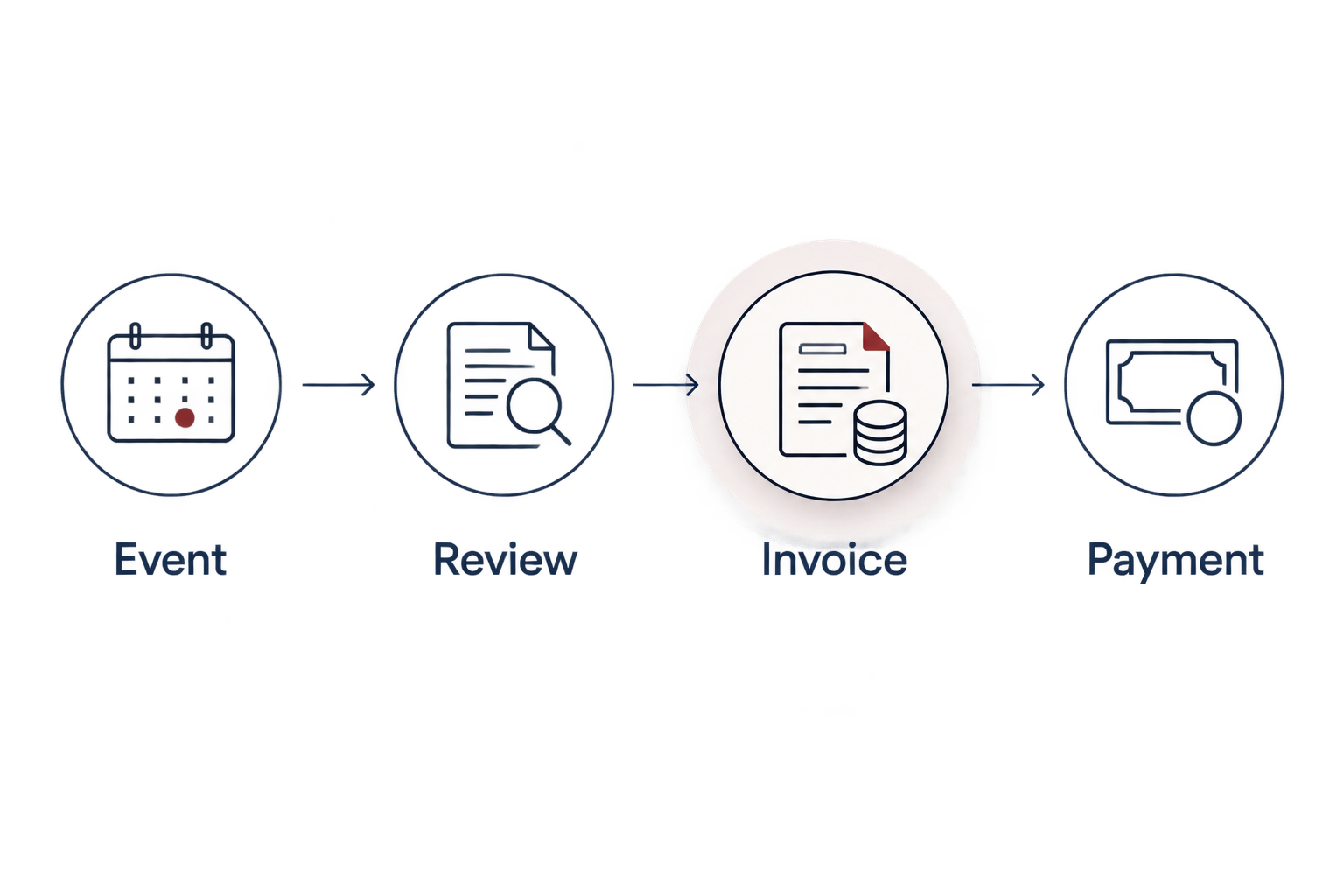
Keep the same event identifier from the source record through payment matching.
Invoice mapping and payment records
Configure the draft transfer
- Select your transfer route: export approved records for reviewed import, or configure a supported connector to read only approved records. Verify the destination accepts drafts before enabling any transfer.
- Map Homeowner to the invoice issuer and Paying Entity to the recipient. The homeowner rents the dwelling to the business; reversing the parties creates the wrong document.
- Carry Event ID, Property, Rental Date, and the reviewed rental terms into the draft. Include a specific business-purpose description rather than a generic meeting label.
- Attach the agreement and supporting evidence, or include their controlled document references. Keep sensitive attendee details out of broadly shared invoice descriptions.
- Check Invoice Reference before creating anything. If an invoice already exists for the event, stop creation and route the record for review.
Expected result: A completed transfer produces a draft tied to the correct event, issuer, recipient, and evidence—not an automatically sent invoice.
Use an unissued test record to inspect the mapping. Confirm that date formats survive the transfer and that attachment references remain accessible to authorized reviewers. Delete or clearly segregate test records before live processing.
Reconcile the actual payment
- Review the draft against the agreement and completed event before issuing it. A planned meeting is not proof that a rental occurred.
- Enter the issued document's identifier in Invoice Reference. Preserve the issued version rather than silently overwriting it when something changes.
- Have the bookkeeper record the business transaction using the account treatment approved by the tax adviser. Do not assume the homeowner's federal income exclusion dictates the business's bookkeeping entry.
- Match the actual business-bank payment to the invoice. Record Payment Reference only after confirming the transfer, then select Paid.
- Reconcile the event register, invoices, and bank records at each bookkeeping close. Review unpaid balances, credits, and canceled events separately.
Expected result: The issued invoice and bank evidence point back to the same completed rental event.
A paid label is not payment evidence. Retain the bank record, and have your adviser determine deduction timing, including any related-party rules. The homeowner's exclusion also does not automatically settle state tax treatment or information-reporting obligations.
Update the workflow when a rental changes
Best for owners whose meeting dates or attendance plans change: add a change-review workflow rather than creating a fresh invoice whenever someone edits the calendar. This variant prevents duplicate billing while preserving the original record.
- Watch or periodically compare changes to the rental date, property, paying entity, and cancellation status.
- Return a changed, uninvoiced event to Needs Review. Recalculate the dwelling's annual rental-day total before approving it again.
- For an issued invoice, route the change to the bookkeeper. Use the invoicing system's documented correction process instead of deleting the original transaction.
- For a paid cancellation or revised rental, retain the original payment evidence and document the refund, credit, or other approved adjustment.
Expected result: A rescheduled event keeps its history without becoming a duplicate rental or an unexplained accounting correction.
For meetings spanning different tax years, assign actual rental dates to their proper annual registers. Do not carry an unused 2026 rental-day allowance into another year; the statutory test applies separately each tax year.
Troubleshooting
The connection creates duplicate invoices
Fix: Use the stable event identifier as the duplicate-control key and check for an existing invoice reference before creating a draft. A retry after a failed transfer must first check whether the destination already created the invoice. Review duplicates before issuing credits or deleting drafts.
Your annual rental count disagrees with the calendar
Fix: Reconcile rental activity across every booking source for that dwelling. Separate completed rentals from canceled reservations and personal-use events. Do not count invoice lines, payments, or business entities as rental days; ask your adviser to resolve ambiguous date treatment.
The business appears as the landlord
Fix: Correct the source mapping before issuing the draft. The homeowner is the rental provider and the business is the customer in this workflow. If a document has already been issued, preserve its history and follow the accounting system's correction process.
The invoice arrives without supporting documents
Fix: Hold it for review until the evidence is accessible. Some transfer routes move text records without moving attachments; verify your actual route rather than assuming documents followed. Keep permanent document references when direct attachment transfer is unavailable.
The invoice is marked paid but no transfer appears
Fix: Return the record to payment review and inspect the business-bank transaction. An imported status, owner contribution, or unrelated transfer does not establish that the invoice was settled. Ask the bookkeeper to resolve the discrepancy before marking the event complete.
Customize your workflow
Expand the evidence controls before expanding automation. Add restricted document access, a change log, and an exception list for missing approvals or unmatched payments. Give the tax adviser visibility into exceptions without distributing the full evidence file to everyone who can view the calendar.
CEOHAVEN tax planning, tax preparation, and bookkeeping services fit entrepreneurs who want those functions coordinated. The limitation remains clear: professional review cannot make an ineligible rental qualify, and software cannot replace evidence of an actual business transaction.
For your 2026 review, bring the entity classification, annual rental register, agreement, rate support, and payment records together. That package supports a specific discussion instead of a general question about whether the Augusta rule works.
Review your rental tax workflow
Discuss eligibility, documentation, and bookkeeping before automating business rental invoices.
FAQ
What's the best Augusta rule rental invoice software setup?
The best setup creates reviewed invoice drafts from a property-level rental register and preserves supporting evidence. Choose a transfer method your existing systems actually support; no software determines tax eligibility for you.
Can I use the Augusta rule if I rent my home for 15 days?
The Section 280A(g) exclusion requires fewer than 15 rental days during the tax year. Reaching 15 days removes that particular exclusion; your adviser must determine the resulting reporting and deduction treatment.
Do outside guest rentals count toward the Augusta rule limit?
Yes, the rental-day test concerns the dwelling's rental activity, not just rentals to your own business. Include outside bookings when reviewing the annual total.
Can my sole proprietorship pay me rent for my own home?
A sole proprietorship cannot create a federal income-tax deduction simply by paying its owner rent. An owner and a disregarded single-member LLC generally are the same taxpayer for federal income-tax purposes.
Does an Augusta rule invoice prove my company gets a deduction?
No, an invoice alone does not establish a business deduction. The company must separately support the business purpose, reasonable rental terms, and applicable deduction requirements.
Should invoice software automatically mark the rental paid?
No, mark the rental paid only after matching the actual payment to the invoice. Keep the bank evidence and obtain advice on related-party deduction timing.
Can I use rental property software without a direct integration?
Yes, a reviewed export-and-import process can transfer approved rental records into invoice drafts. Preserve stable event identifiers and check for existing invoices before each import.
One last thing
Your day counter belongs to the dwelling, not the company. Separate businesses renting the same home do not each receive a separate exclusion limit for that dwelling. Put the property identifier at the center of your register before connecting anything else.