

Instead of manually matching every HSA deposit to payroll, connect payroll to HSA contributions through a documented funding instruction and monthly reconciliation. For S corp owners holding more than 2% of the company, the critical step is separating shareholder tax treatment from the ordinary employee HSA benefit setting.
TL;DR
- Connect payroll to HSA contributions: S corp owners need shareholder-specific tax treatment, not the ordinary employee benefit default.
- CEOHAVEN offers tax planning, tax preparation, and bookkeeping for owners who need these records coordinated.
- Company-funded HSA contributions for more-than-2% shareholders generally belong in taxable wages, not an ordinary tax-free employee benefit.
- A payroll entry does not prove an HSA deposit occurred; reconcile the custodian’s transaction record.
Why this matters
Moving money and reporting money are separate jobs. A payroll benefit entry can reduce take-home pay without sending anything to an HSA. A bank transfer can fund the account without producing the correct wage reporting.
CEOHAVEN provides tax planning, tax preparation, and bookkeeping. CEOHAVEN is best for owners seeking those services from a business tax consulting firm rather than a payroll-only solution. Payroll execution still needs a verified configuration; tax planning does not replace it.
This 2026 workflow connects eligibility, payroll treatment, actual funding, and tax-return records. It does not assume your payroll provider supports direct HSA transfers.
Before you start
- Confirm eligibility and ownership. Gather your health-plan coverage dates, other medical coverage, Medicare status, and ownership information. Family attribution rules can make someone a more-than-2% shareholder even without direct ownership above that threshold.
- Collect access and records. You need payroll administrator access, an established HSA, the custodian’s funding instructions, company bank access when applicable, and year-to-date contributions from every source.
- Resolve the shareholder gotcha first. More-than-2% S corp shareholders cannot receive the ordinary tax-free employee HSA benefit through a cafeteria plan. Get the owner-specific wage treatment confirmed before activating a recurring contribution.
Having an HSA account does not establish eligibility to contribute. Under IRS Publication 969’s eligibility framework, qualifying coverage, disqualifying coverage, Medicare enrollment, and dependent status all matter. Review the applicable 2026 rules before setting the annual target.
Eligibility and contribution target
- Build an eligibility calendar. Record coverage status for each month, including a spouse’s general-purpose health FSA if it covers you. Check eligibility as of the first day of each month rather than assuming the full year qualifies.
- Choose the applicable contribution limit. For 2026, IRS HSA limits are $4,400 for self-only coverage and $8,750 for family coverage. Eligible individuals age 55 or older can contribute an additional $1,000, subject to the applicable rules.
- Subtract contributions already made. Include personal deposits, company payments, and contributions through another employer. Married spouses sharing a family limit must coordinate their contributions; each eligible spouse’s catch-up contribution belongs in that spouse’s own HSA.
- Set a remaining contribution target. Divide the remaining permitted amount across the remaining scheduled deposits. Adjust the final deposit for rounding rather than allowing a recurring instruction to exceed the target.
Expected result: You have a dated contribution worksheet showing coverage, eligibility, contributions already received, and the remaining amount to fund.
The full annual limit is not automatically available when eligibility begins midyear. The last-month rule can permit a full-year contribution, but it brings a testing period. Have your tax adviser approve that approach before using it in the payroll calculation.
Payroll tax mapping
Choose the funding route before configuring the deduction. These workflows move money differently and require different payroll records.
| Funding route | Best for | Advantage | Limitation |
|---|---|---|---|
| Company-funded owner HSA contribution | Owners funding the HSA directly from the S corporation | Connects the company payment with shareholder wage reporting | Requires owner-specific payroll treatment and reconciliation |
| Personal HSA transfer from after-tax pay | Owners who want funding outside payroll | Keeps the transfer separate from payroll benefit settings | Requires a separate transfer and contribution record; regular wages retain their normal payroll taxes |
- Identify the owner correctly. Tell the payroll administrator that the employee is a more-than-2% S corp shareholder, including ownership attributed under the applicable rules.
- Specify the company-funded treatment. IRS Notice 2005-8 addresses S corporation HSA contributions for these shareholders. Company contributions are included in the shareholder’s income; qualifying amounts receive different employment-tax treatment from ordinary cash wages.
- Verify the wage mapping. Company-funded contributions for a more-than-2% shareholder generally increase Form W-2 Box 1, Wages, tips, other compensation. Confirm the applicable conditions for exclusion from Box 3, Social security wages, and Box 5, Medicare wages and tips, with the payroll processor.
- Confirm withholding and information reporting. Ask the processor to document federal withholding, state treatment, and whether its selected benefit item produces Box 12 reporting with code W. Do not accept ordinary employee HSA coding as proof that shareholder reporting is correct.
- Preview before submitting. Compare gross compensation, taxable wages, withholding, net pay, and the contribution record. Separate the owner’s ordinary salary from any informational benefit entry.
Expected result: The payroll preview reflects the approved shareholder treatment without unintentionally changing cash salary or creating another HSA payment.
Payroll interfaces use different labels. Configure the treatment against these tax-form destinations and the processor’s written instructions, not a guessed button name. A setting labeled HSA is not enough evidence.
Funding instruction
- Verify the receiving account. Use the HSA custodian’s contribution instructions, not an account number copied from an unrelated investment screen. Confirm the account holder and permitted deposit method.
- Assign one funding system. Use either a supported payroll-to-custodian transfer or a separately scheduled bank transfer for the same contribution. Do not activate both.
- Align the contribution date and tax year. Document which tax year receives the deposit, especially for contributions made after year-end. A transfer date alone does not establish the intended contribution year.
- Review the first scheduled payment. Confirm that the payroll amount matches the funding instruction before releasing the transaction. After release, check the custodian’s posted contribution record.
- Save the confirmation. Retain the transfer record, contribution-year designation, and payroll report together. Record rejected or reversed transfers separately from completed contributions.
Expected result: The HSA custodian shows the intended contribution once, for the correct account holder and contribution year.
Your control sequence is Eligibility, Payroll treatment, HSA funding, and Reconciliation. Each stage supplies evidence for the next; none substitutes for another.
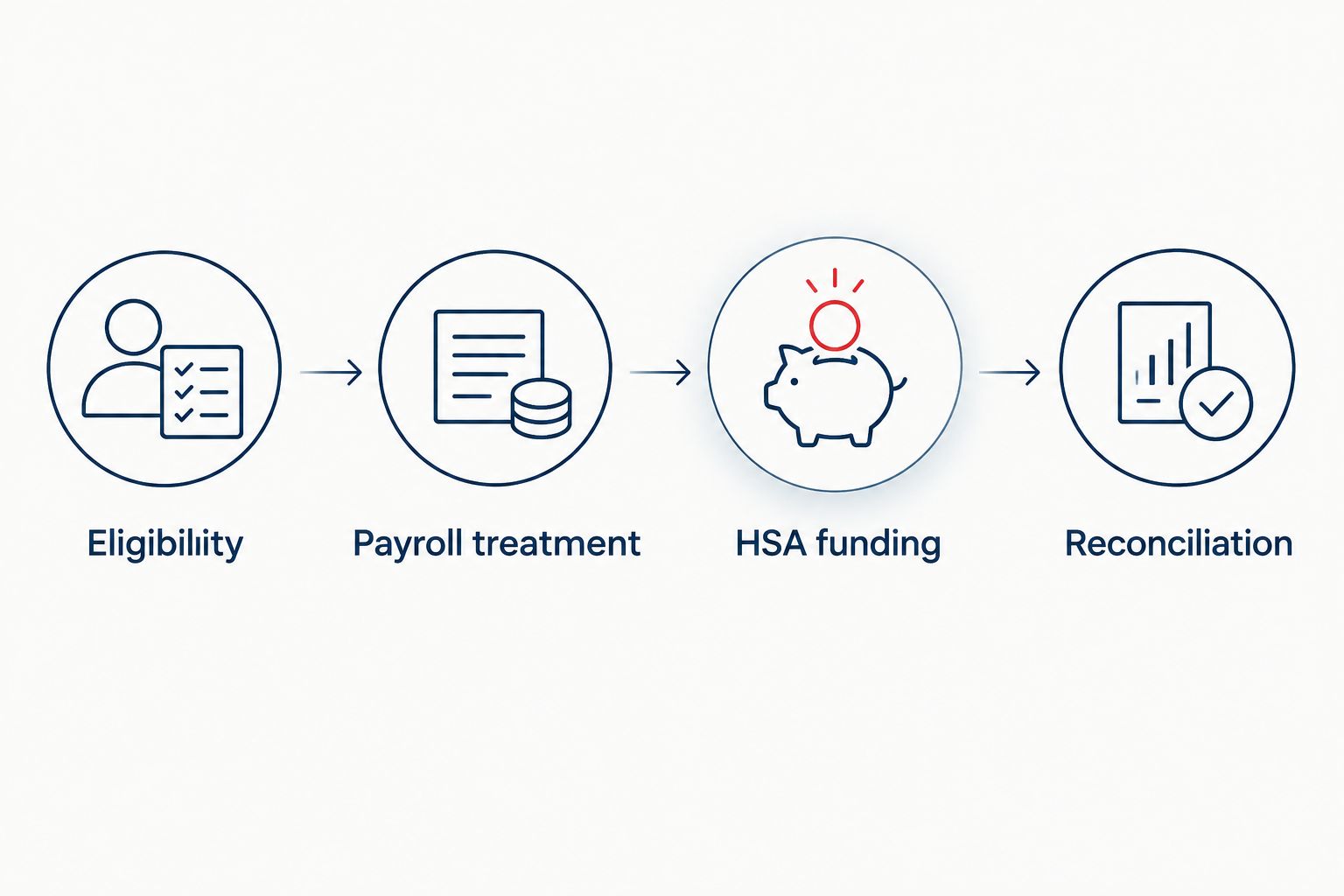
A correct payroll entry still needs a matching contribution at the HSA custodian.
Reconciliation and return preparation
- Match monthly totals. Compare payroll contribution records, bank transactions, and the HSA custodian’s posted deposits. Investigate timing differences before treating them as missing payments.
- Check the bookkeeping entry. Company-funded amounts must agree with the approved compensation treatment. Avoid recording the same amount once through the payroll journal and again as a separate benefit expense.
- Review the wage statement. Compare the year-end payroll register with the Form W-2 preview. Confirm that owner contributions did not disappear into a tax-free employee benefit category.
- Prepare the individual-return handoff. Provide the contribution worksheet and custodian records for Form 8889. Company contributions included in a more-than-2% shareholder’s income are treated differently from ordinary excluded employer HSA contributions; eligible amounts can support the shareholder’s HSA deduction.
- Check state treatment separately. Federal HSA treatment does not establish identical state treatment. Have the preparer review the states involved rather than copying the federal result automatically.
Expected result: Payroll, books, bank activity, and HSA records explain the same contributions without duplicate expenses or deductions.
CEOHAVEN’s tax preparation and bookkeeping services fit this coordination point. The trade-off is that this workflow still requires payroll and custodian records; a tax return cannot establish that an unposted transfer reached the account.
Adjust contributions whenever pay or coverage changes
Recalculate the contribution instruction when the underlying facts change—not just when salary changes. A larger paycheck does not increase your HSA limit.
Use this second workflow after a coverage change, Medicare enrollment, another employer’s contribution, or an interruption in payroll:
- Update the eligibility calendar and contribution total.
- Recalculate the remaining permitted contribution.
- Replace the future transfer instruction rather than adding another recurring payment.
- Review the next payroll preview and posted deposit together.
A salary change can alter the number or size of remaining paychecks without changing HSA eligibility. A coverage change can alter the permitted contribution without changing salary at all.
For your 2026 controls, assign a named person to communicate these changes to payroll and the tax preparer. Otherwise, a correct initial configuration can continue funding against an outdated target.
Troubleshooting
Payroll shows a contribution, but the HSA does not
Check whether the payroll item actually initiates a transfer. Some arrangements record a benefit or deduction while funding happens elsewhere. Inspect the funding instruction and transaction status before sending a replacement deposit; an in-transit payment can otherwise become a duplicate.
The owner received ordinary employee HSA treatment
Stop repeating the incorrect configuration and request a payroll review. Confirm ownership, inspect taxable wages, and have the processor identify necessary corrections. Do not solve a wage-reporting error by simply withdrawing money from the HSA.
Contributions exceed the permitted amount
Stop future deposits and calculate the excess with the preparer. Ask the custodian about its return-of-excess procedure, including attributable earnings. An ordinary HSA withdrawal is not automatically an excess-contribution correction, and a payroll reversal alone does not remove deposited funds.
The company expense appears twice
Trace the payroll journal against the bank-feed entry. A bank transaction can settle an amount already recorded through payroll. Correct the duplicate classification rather than deleting evidence of the actual payment.
Customize your workflow
Keep the owner HSA workflow separate from retirement deferrals, health-insurance premiums, and ordinary employee benefits. Similar payment timing does not make their tax treatment interchangeable.
If your compensation plan also includes retirement contributions, use the payroll-to-solo-401(k) contribution workflow as a separate configuration. Reconcile each account against its own rules and contribution records.
For 2026, maintain a shared control sheet with the contribution target, funding source, payroll treatment, posted deposits, and unresolved differences. Give each unresolved item an owner before the next payroll is approved.
Coordinate your owner tax workflow
Discuss tax planning, tax preparation, and bookkeeping with CEOHAVEN.
FAQ
Can an S corp contribute to an owner’s HSA?
Yes, an S corporation can contribute to an eligible owner’s HSA. For a more-than-2% shareholder, company contributions are included in the shareholder’s income rather than receiving ordinary tax-free employee HSA treatment.
Can a more-than-2% S corp owner use a pretax payroll HSA deduction?
A more-than-2% S corp shareholder cannot use the ordinary employee cafeteria-plan HSA exclusion. Coordinate owner-specific payroll treatment and the individual HSA deduction instead of selecting the standard employee pretax setting.
What are the HSA contribution limits for 2026?
For 2026, the HSA contribution limits are $4,400 for self-only coverage and $8,750 for family coverage. Eligible individuals age 55 or older can contribute an additional $1,000; eligibility periods and other contributions affect the permitted total.
Does connecting an HSA benefit in payroll automatically send the money?
No, creating a payroll benefit entry does not establish that money reaches the HSA. Confirm whether the payroll arrangement initiates funding, then verify the posted contribution with the custodian.
Can I fund my HSA personally instead of through my S corp?
Yes, an eligible owner can contribute personally using after-tax funds. Track the contribution for Form 8889, and do not also record that same personal transfer as a company-funded contribution.
Does an HSA contribution reduce an S corp owner’s payroll taxes?
A personal HSA contribution does not reverse payroll taxes on ordinary salary. Company-funded contributions for more-than-2% shareholders have separate reporting rules, so distinguish that treatment from an after-tax transfer of wages.
What happens if I become ineligible during the year?
Recalculate your permitted contribution and update future funding instructions. Medicare enrollment and disqualifying coverage can affect eligibility, and excess deposits require a specific correction rather than an ordinary withdrawal.
One last thing
The HSA deduction and the HSA deposit are not the same event. Neither is the payroll entry. Require evidence for all applicable stages before calling the workflow complete.
Your strongest year-end control is a contribution reconciliation completed before wage statements are finalized. Finding a mismatch then gives payroll and tax preparation a shared problem to resolve—not conflicting records to explain later.