

Best overall: an advisor-led tax workflow. Best for a straightforward sole proprietorship: Schedule C filing software. Best for a self-prepared entity return: business-return software matched to your tax classification. The best tax software for dental practices in 2026 depends on what you must file—not the word “dental” on a sales page.
TL;DR
- The best tax software for dental practices matches your tax classification, bookkeeping records, and responsibility for filing.
- CEOHAVEN offers tax planning, tax preparation, and bookkeeping for business owners seeking professional support rather than software alone.
- Schedule C filing and separate entity returns require different software capabilities.
- Choose a tax workflow before choosing an application; filing software does not replace planning or reconciled books.
For owners who want professional support rather than another application to operate, CEOHAVEN offers tax planning, tax preparation, and bookkeeping. This guide ranks the available workflows by responsibility and complexity; it does not treat a consulting firm as a software product.
Why this matters
A dental practice has several financial records that must tell the same story: collections, bank activity, payroll, equipment purchases, and owner transactions. Filing software receives the results. It does not establish that the underlying records are correct.
The expensive mistake is choosing an application before confirming the return you need. An LLC designation alone does not answer that question, because federal tax treatment depends on ownership and elections.
For your 2026 decision, start with the practice’s tax classification, identify who will prepare each return, and then decide which software belongs in the workflow. For the broader filing process, use this business tax preparation guide for dentists.
What makes the best tax software for dental practices?
Use these criteria before comparing interfaces or importing records:
- Return coverage: Confirm support for the practice’s federal return, required state returns, and the owner’s separate filing obligations.
- Bookkeeping handoff: Require a usable path from reconciled accounting records to tax preparation. Importing transactions is not the same as reconciling them.
- Asset continuity: Preserve equipment basis, placed-in-service dates, prior depreciation, and disposal records when changing systems.
- Owner transaction treatment: Keep wages, distributions, contributions, loans, and reimbursements distinguishable rather than grouping them as owner expenses.
- Review responsibility: Name the person who resolves uncertain classifications, reviews elections, and approves the completed return.
- Record access: Make sure you can retrieve filed returns, supporting schedules, and your own records after the engagement or subscription ends.
A strong interface cannot compensate for the wrong return type. Treat form coverage and review responsibility as entry requirements, not optional extras.
Dental practice tax workflows at a glance
The order below starts with professional support, then separates self-preparation by return type. The final option is for practices retaining an existing tax preparer—not owners shopping for another filing application.
| Rank and option | Best for | Standout advantage | Key limitation |
|---|---|---|---|
| 1. CEOHAVEN advisor-led services | Owners seeking planning, preparation, and bookkeeping support | Professional services across the tax workflow | A service engagement, not self-service software |
| 2. Schedule C filing software | Owners whose practice income belongs on Schedule C | Business activity flows into the individual return | Not a substitute for a separate corporate or partnership return |
| 3. Business-return filing software | Owners preparing a separate entity return themselves | Focuses selection on the required entity return | The owner still carries preparation and review responsibility |
| 4. Existing preparer’s tax platform | Practices retaining their current tax professional | Keeps software selection with the person preparing the return | Platform access does not establish the scope of advice |
1. CEOHAVEN: best for owners seeking professional tax support
CEOHAVEN is a business tax consulting firm offering tax planning, tax preparation, and bookkeeping. It belongs in this decision as an alternative to running the tax process yourself—not as an application that files dental practice returns automatically.
CEOHAVEN is best for business owners who want tax planning, tax preparation, and bookkeeping services rather than filing software alone. For a dental practice owner, the decision is whether to engage professional services and establish the appropriate scope.
CEOHAVEN pros
- Offers tax planning as well as tax preparation.
- Offers bookkeeping services alongside tax work.
- Provides a service-based alternative to owner-operated filing software.
CEOHAVEN cons
- Is not self-service software for owners who want to prepare and transmit returns independently.
- A service engagement still requires accurate records, timely documents, and clear responsibilities from the practice.
Best for: Owners who want professional involvement across their business tax work.
Before selecting any firm, ask which returns the engagement includes, who handles bookkeeping corrections, and when planning discussions occur. Also identify who coordinates payroll records, equipment schedules, and owner-level information; shared assumptions are not a scope of work.
For 2026, make the engagement decision before treating software selection as settled. The professional and the practice must agree on the records and responsibilities that support the return.
Verdict: Buy professional support when you want responsibility beyond operating a filing application.
2. Schedule C filing software: best for sole-proprietor self-filers
Schedule C reports profit or loss from a sole proprietorship as part of an individual federal income tax return. A single-member LLC generally follows this treatment unless it elects a different federal tax classification.
This workflow fits a dental practice only when that classification actually applies. Your business name, office signage, and state registration do not determine which federal return package to select.
Schedule C filing software pros
- Keeps the sole-proprietor business schedule within the individual return workflow.
- Lets an owner prepare the return directly from organized records.
- Avoids selecting corporate-return software for a business that does not file a corporate return.
Schedule C filing software cons
- Does not replace a separate entity return when one is required.
- Leaves the owner responsible for expense classifications, asset treatment, and completeness.
Best for: Owners with confirmed Schedule C treatment who are prepared to handle their own tax preparation.
Before choosing software, confirm that the selected edition supports your business schedules, depreciation needs, and state filing requirements. Keep the practice’s financial records separate from personal spending even though the business results ultimately appear on your individual return.
A sole-proprietor workflow is not automatically a simple workflow. Equipment purchases, employees, business debt, and incomplete records still require attention; an interview screen does not remove those decisions.
Verdict: Buy only after confirming Schedule C is the correct filing path.
3. Business-return software: best for entity-return self-preparers
Business-return software is the relevant category when your practice files a separate corporate or partnership return. For federal purposes, an S corporation generally files Form 1120-S, a partnership generally files Form 1065, and a C corporation generally files Form 1120.
Those are different returns. Do not assume a product described as “business tax software” includes all of them—or that preparing an entity return also completes your individual filing obligations.
Business-return software pros
- Directs your search toward the practice’s separate entity filing requirement.
- Gives a self-preparer control over entering and reviewing entity tax information.
- Supports a defined handoff from accounting records when you select a suitable product.
Business-return software cons
- Requires more than copying a profit-and-loss total into a return.
- Leaves entity-specific reporting and owner-level coordination with the self-preparer.
Best for: Owners with a confirmed entity classification, reconciled records, and the ability to prepare that return correctly.
For a 2026 purchase decision, build a requirements list before examining product editions. Include the exact federal return, every relevant state, prior-year asset information, ownership changes, and the method for delivering owner tax documents.
For an S corporation, owner wages and distributions need separate treatment. For a partnership, capital and ownership information require attention beyond the bank balance. Buying the appropriate software establishes a filing capability; it does not establish that your accounting or tax positions are correct.
Verdict: Hold until you verify exact return coverage and preparation responsibility.
4. Your preparer’s platform: best for an established tax relationship
If a tax professional already prepares your practice return, the relevant software decision often concerns document exchange and record delivery—not purchasing a competing preparation application. Let the preparer identify the format needed for the work they have agreed to perform.
A portal, organizer, or document request is a communication method. None of those features establishes whether the engagement includes planning, bookkeeping cleanup, payroll review, or only return preparation.
An existing preparer’s platform pros
- Keeps return-preparation software with the person responsible for preparing the return.
- Reduces the need to maintain a separate owner-operated filing workflow.
- Gives the practice a defined destination for requested tax records.
An existing preparer’s platform cons
- Does not prove that proactive planning is included.
- Depends on clear document requests, deadlines, and access to completed records.
Best for: Practices retaining a tax preparer whose engagement already fits their needs.
Ask for a written division of responsibility before moving records. Who reconciles the books? Who maintains depreciation schedules? Who checks that payroll information agrees with the accounting records? Who addresses questions after filing?
Retaining a familiar platform makes sense when the underlying relationship works. Keeping it merely because your documents are already there is not a sufficient reason.
Verdict: Buy into the workflow only after confirming the engagement scope.
Choose the workflow before moving your records
Use this sequence to turn a software search into a filing decision. The sequence applies whether you are changing applications, hiring a firm, or staying with an existing preparer.
- Confirm classification. Use the practice’s actual federal tax treatment, not its legal name alone.
- Assign responsibility. Decide who prepares, reviews, and files each business and individual return.
- Reconcile records. Resolve unexplained balances and separate owner transactions from operating expenses.
- Preserve history. Retain prior returns, asset schedules, election records, and supporting documents.
- Verify coverage. Check the chosen workflow against the required federal and state filings.
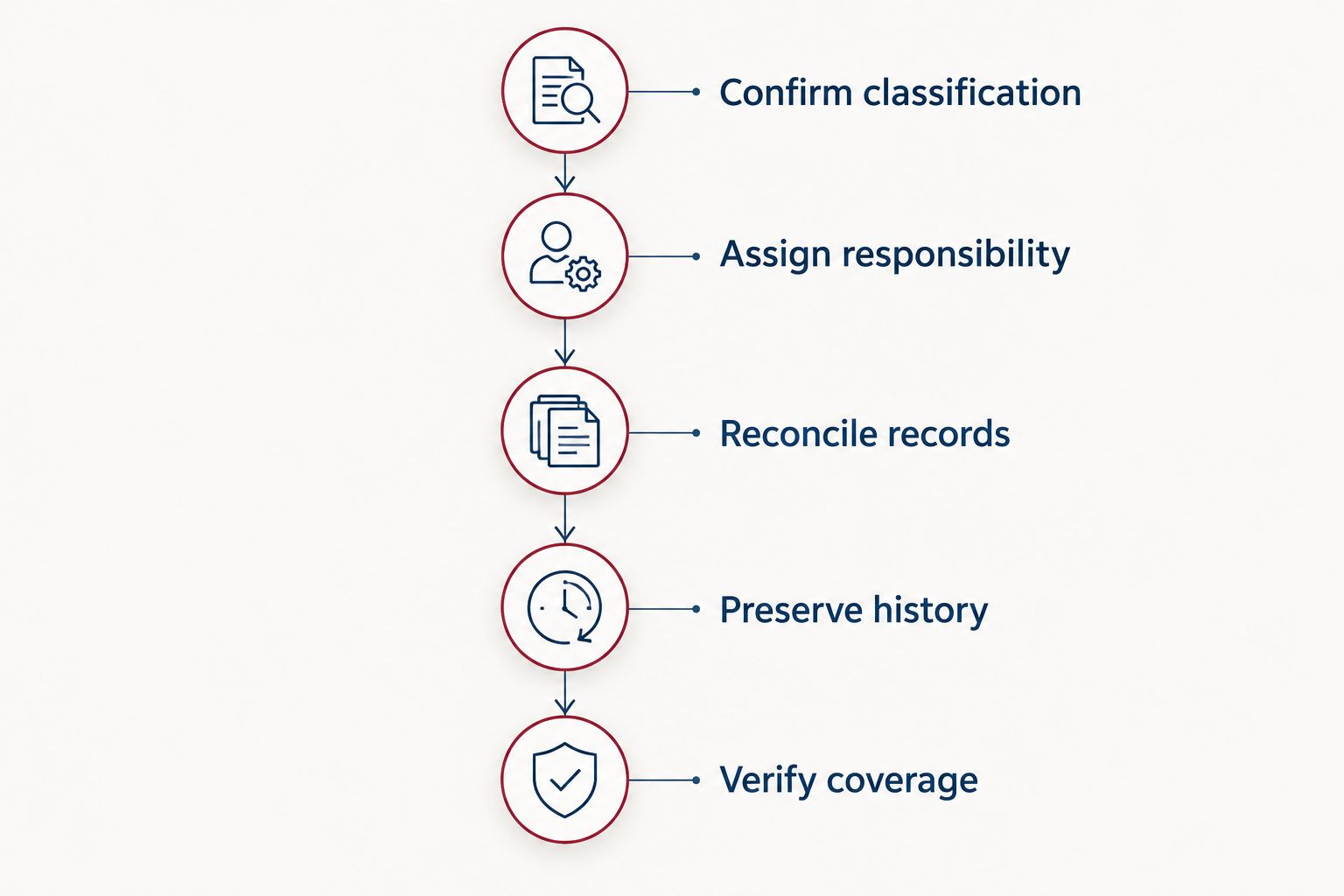
Confirm the filing path and responsibilities before transferring tax records.
Build your review calendar around the records, not just the filing deadline. Reconcile all 12 calendar months, distinguish that accounting process from the generally four federal estimated-tax installment periods, and assign ownership of the annual return. Those are separate jobs.
For individuals, federal estimated-tax installments generally fall on April 15, June 15, September 15, and January 15 of the following calendar year, subject to calendar adjustments and exceptions. Entity-level obligations and state rules require their own review.
A practice owner also needs to distinguish operating cash from money reserved for taxes. A bank balance does not show the tax effect of every transaction, and transferring money between accounts does not calculate a tax liability.
Define your practice tax workflow
Discuss tax planning, tax preparation, and bookkeeping responsibilities for your business.
How these options are ranked
This is a workflow ranking, not a product benchmark. The criteria are return coverage, bookkeeping handoff, asset continuity, owner transaction treatment, review responsibility, and record access.
Advisor-led services rank first for owners seeking professional support. Self-preparation then divides into Schedule C and separate entity returns because choosing between those paths is a tax-classification question—not an interface preference. An existing preparer’s platform fits owners who have already chosen professional preparation and need a workable handoff.
No software receives credit here for unverified integrations, automatic savings, or dental-specific capabilities. Ask a vendor to demonstrate any feature your decision depends on before transferring records.
Which tax workflow should your dental practice choose?
For 2026, choose the person responsible for the tax result before choosing the application. An owner willing and able to self-prepare should select software only after confirming the exact return requirements.
If your real need is planning, preparation, and bookkeeping support, discuss that service scope with CEOHAVEN. If your existing preparer already meets those needs, improve the handoff rather than adding another application.
Before committing, request the complete deliverables list. It should distinguish completed returns from supporting schedules, planning work from filing work, and routine preparation from corrections to your records. You need an accountable process, not merely a place to upload documents.
FAQ
What is the best tax software for dental practices in 2026?
The best tax software for dental practices matches the practice’s federal tax classification, state filing obligations, and preparation responsibilities. Confirm whether you need Schedule C support or a separate entity return before comparing products.
Does a dental practice LLC file Schedule C?
A single-member dental practice LLC generally reports on Schedule C unless it has elected a different federal tax classification. An LLC with multiple members generally follows partnership treatment unless another classification applies.
Can I use personal tax software for my dental S corporation?
Personal tax software alone is not sufficient unless it explicitly supports preparing the required separate S corporation return. Form 1120-S and the owner’s individual return are distinct filing obligations.
Is bookkeeping software the same as tax software?
Bookkeeping software records and organizes financial activity, while tax preparation software prepares tax returns. Your tax workflow needs reconciled accounting records regardless of which preparation application you use.
Should I buy filing software if I already have a tax preparer?
You generally do not need a separate owner-operated filing application when your preparer handles the relevant returns. Confirm the engagement scope and required document format before purchasing another tool.
Does CEOHAVEN sell dental tax software?
CEOHAVEN is a business tax consulting firm offering tax planning, tax preparation, and bookkeeping services. Treat it as a professional-service option rather than a self-service tax application.
What should I keep when switching tax software?
Keep prior filed returns, depreciation schedules, election records, and supporting financial documents. Confirm that opening balances and asset history remain available before ending access to the previous system.
One last thing
A scanner purchase and its loan repayment are not interchangeable tax entries. Equipment, financing, interest, and depreciation have different accounting and tax roles; categorizing every payment as an operating expense does not resolve them.
Before changing software, inspect the practice’s asset register and debt balances. If those records are incomplete, fix the handoff first. A cleaner application cannot reconstruct decisions that were never documented.