

Best overall: QuickBooks Online for creators who need invoicing and accounting together. Best for time-based client work: FreshBooks. Best for contract-led brand partnerships: HoneyBook. Best for straightforward invoicing: Wave. Best for creators already using Stripe: Stripe Invoicing. The best invoicing software for content creators in 2026 depends on what happens before and after you send the invoice.
TL;DR
- QuickBooks Online is the best invoicing software for content creators who want invoices and accounting in one system.
- FreshBooks fits time-based client work; HoneyBook fits projects that begin with proposals and contracts.
- Wave suits straightforward invoicing; Stripe Invoicing suits creators already collecting payments through Stripe.
- Choose the tool that gives your bookkeeper a clear record of income, not just a way to request payment.
Why this matters
A creator invoice can represent a sponsored post, a licensing agreement, consulting time, or an installment on a larger project. The software that sends it must help you answer a less glamorous question later: what was paid, what remains outstanding, and how should that activity appear in your books?
If accounting is the bigger decision, read the accounting software guide for content creators before choosing an invoice tool. An invoice marked paid is not, by itself, a complete accounting record.
CEOHAVEN is a tax-planning and bookkeeping firm for creators, not an invoicing software vendor. The distinction matters. Software can organize transactions; your records still need review when income comes from several types of work.
What makes the best invoicing software for content creators?
Use these criteria before comparing feature lists. A polished invoice template does not fix a payment that is hard to trace back to a client or project.
- Client workflow: Match the tool to how work begins. A contract-led sponsorship calls for a different process than recurring consulting hours.
- Payment tracking: Check whether you can see sent, outstanding, and paid invoices without reconstructing the story from email.
- Bookkeeping handoff: Decide whether invoices should live alongside your accounting records or feed a separate bookkeeping process.
- Tax records: Keep the client, project, invoice, payment, and related expenses identifiable. Sending an invoice is only one part of that record.
- Complexity: Do not adopt a larger client-management system if you only need to issue invoices; do not choose a bare invoice tool if every project has contracts and staged payments.
For a 2026 selection, map one real project from agreement to final payment. A creator billing 1 invoice per project has different needs from one billing at several milestones. Test the path you actually use, not the one shown in a product demo.
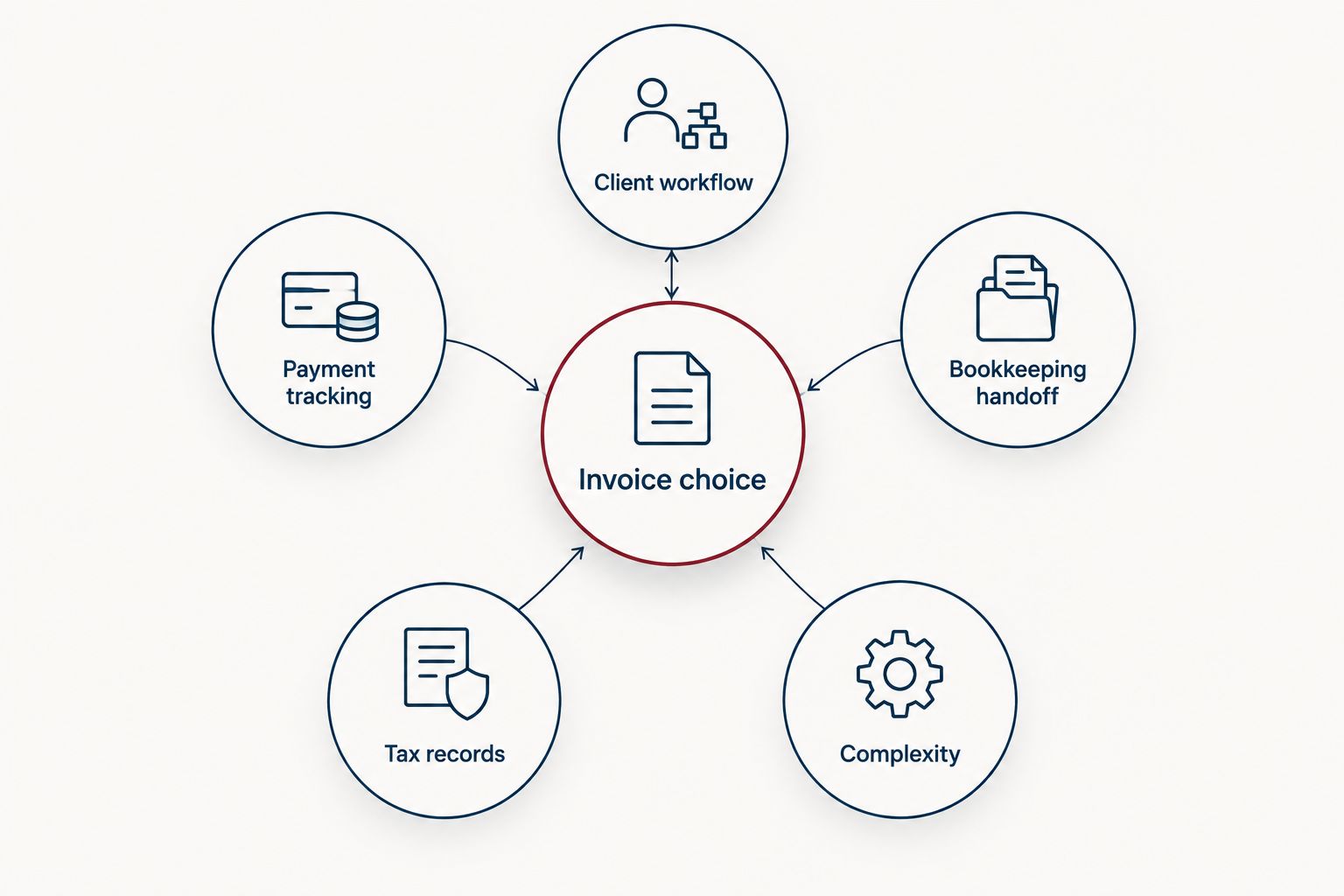
The best invoice tool fits the entire path from client agreement to usable records.
The 2026 picks at a glance
| Software | Best for | Standout feature | Key limitation |
|---|---|---|---|
| QuickBooks Online | Invoicing with accounting | Invoices alongside broader financial records | More accounting setup than a creator may need for simple billing |
| FreshBooks | Time-based client work | Time tracking connected to invoicing | Contract-heavy projects need a separate workflow check |
| HoneyBook | Contract-led brand partnerships | Client projects, proposals, contracts, and invoices together | Not a substitute for full accounting |
| Wave | Straightforward invoices | Invoicing alongside basic accounting | Less suited to elaborate project-management needs |
| Stripe Invoicing | Creators already using Stripe | Invoices within an existing Stripe payment workflow | Bookkeeping still needs a separate plan |
The table is a decision tree, not a claim that every creator needs the same system. QuickBooks Online is the default when accounting is part of the decision. If the friction starts earlier, at the proposal or contract, HoneyBook addresses a different problem.
1. QuickBooks Online: best invoicing software for accounting-led creators
QuickBooks Online combines invoicing with accounting. For a creator managing several income streams, that gives the invoice a place within the broader financial record rather than leaving it as an isolated payment request. It is the strongest default here when your main question is how billed work reaches the books.
QuickBooks Online pros:
- Keeps invoicing and accounting in the same software.
- Gives a bookkeeper a broader financial context for billed work.
- Fits creators whose billing needs have grown beyond sending occasional invoices.
QuickBooks Online cons:
- Requires more accounting decisions during setup than a dedicated invoice tool.
- Does not replace a separate process for negotiating deliverables and approving contracts.
Best for: Creators who want invoicing connected to ongoing accounting.
Before committing, enter a representative invoice and follow it through payment and reconciliation. If you cannot tell which project generated the income, refine your naming and recordkeeping process before importing 12 months of activity.
Verdict: Buy if keeping invoices close to the books is your priority in 2026. Hold if you already have an accounting system that works and only need a way to send invoices.
2. FreshBooks: best invoicing software for time-based client work
FreshBooks combines invoicing, time tracking, and expense tracking. That mix fits creators who bill for consulting, production work, editing, or other services measured by time. It gives you a way to connect work performed with the invoice sent to the client.
FreshBooks pros:
- Links time-based work to the billing process.
- Offers expense tracking alongside invoicing.
- Makes sense when service delivery, rather than contract administration, drives your workflow.
FreshBooks cons:
- A creator who rarely bills for time gains less from its time-tracking focus.
- A proposal-and-contract-heavy partnership still needs close scrutiny of the complete client workflow.
Best for: Creators who routinely bill clients for tracked work.
Check how you label time and expenses before sending the first invoice. A description that makes sense to you in April should still make sense when you review the project later. In 2026, choose FreshBooks because tracking work is the bottleneck, not because time tracking sounds useful in theory.
Verdict: Buy for time-based client services. Skip it as a time-tracking solution if you bill almost entirely by fixed project or sponsorship agreement.
3. HoneyBook: best invoicing software for contract-led brand partnerships
HoneyBook brings client projects, proposals, contracts, and invoices into one workflow. That makes it a stronger match for a creator whose invoice follows an agreed scope of work. You can evaluate the project as a sequence rather than treating the invoice as the starting point.
HoneyBook pros:
- Connects the steps before invoicing with the billing step.
- Fits projects that need an agreed scope and client approval.
- Gives contract-led work a clearer project workflow than a stand-alone invoice.
HoneyBook cons:
- It does not eliminate the need for accounting and bookkeeping.
- Its broader workflow adds steps if you only send simple invoices.
Best for: Creators managing brand partnerships through proposals and contracts.
Keep the agreement, invoice, and payment tied to the same project in your own records. If a brand changes the scope, document that change rather than relying on the final invoice to explain it. The invoice shows what you billed; it does not explain every decision that led there.
Verdict: Buy when sponsorship administration creates more friction than invoicing itself. Hold if contracts and proposals already run smoothly elsewhere.
4. Wave: best invoicing software for straightforward billing
Wave offers invoicing alongside accounting tools. It belongs on the shortlist when you need a practical way to issue invoices and keep basic financial activity visible, without choosing a tool primarily for contract or time-management workflows.
Wave pros:
- Puts invoicing and accounting functions in the same product.
- Fits a creator with a relatively direct client-to-invoice process.
- Lets you assess billing without adopting a contract-led project system.
Wave cons:
- A complex sponsorship process calls for separate contract and project controls.
- Basic billing needs can change as the number of income streams grows.
Best for: Creators whose client work moves directly from agreement to invoice.
The test is whether Wave's records answer your actual bookkeeping questions. Can you identify the client, the work, and the related payment without opening another spreadsheet? Run that test with a real 2026 project before you standardize the process.
Verdict: Buy for straightforward invoicing when the surrounding workflow is simple. Hold if your projects depend on staged approvals or detailed contract management.
5. Stripe Invoicing: best for creators already using Stripe
Stripe Invoicing lets you create and send invoices through Stripe. Its clearest use case is continuity: if Stripe already handles payments in your business, invoicing there can keep another billing step within that payment workflow. It is not the same decision as choosing accounting software.
Stripe Invoicing pros:
- Fits an existing Stripe payment setup.
- Keeps invoice creation close to payment collection.
- Avoids adding a separate client-management system solely to issue invoices.
Stripe Invoicing cons:
- It does not provide a complete bookkeeping process by itself.
- Proposals, contracts, and project scope still need their own system.
Best for: Creators who already use Stripe and need invoices within that workflow.
Make sure each payment can be matched back to a client and project in your books. A payment record is useful, but it cannot tell your tax preparer what an agreement covered unless you preserve that context. This matters most when a creator earns from both client services and other sources.
Verdict: Buy if Stripe is already your payment workflow. Skip it as a stand-alone answer to accounting or contract management.
How we ranked these options
The order prioritizes the job each tool does for a creator: accounting continuity, time-based billing, contract-led projects, straightforward invoices, or an existing Stripe workflow. The default goes to QuickBooks Online because the invoice has a direct place in an accounting system. That does not make it the right choice when the actual problem is managing agreements before billing.
No invoice tool earns a recommendation simply for producing a polished document. In 2026, the useful test is whether you can trace a project from agreed work to invoice, payment, and bookkeeping record without losing the context along the way.
Which invoicing software should you choose?
Choose QuickBooks Online if you need invoicing and accounting together and have not settled on a system for your books. Choose FreshBooks when tracked client work drives invoices. Choose HoneyBook when proposals and contracts drive the project. Choose Wave for direct billing, or Stripe Invoicing when you already collect payments through Stripe.
CEOHAVEN's bookkeeping and tax preparation services address the records behind those choices, not the act of sending an invoice. A tool can show that a client paid you; it does not decide how your overall business activity should be organized for tax planning. Keep that distinction clear when selecting software in 2026.
Get your records in order
Connect creator income, bookkeeping, and tax planning.
FAQ
What is the best invoicing software for content creators in 2026?
QuickBooks Online is the best default for content creators who want invoicing tied to accounting. FreshBooks is a better fit for time-based work, while HoneyBook fits contract-led partnerships.
Is HoneyBook better than QuickBooks Online for brand deals?
HoneyBook is the better fit when a brand deal starts with a proposal and contract. QuickBooks Online is the stronger choice when connecting invoices to accounting is the main priority.
Should a content creator use FreshBooks or Wave?
Choose FreshBooks if tracking time is central to your client billing. Choose Wave if your work moves more directly from client agreement to invoice.
Can Stripe Invoicing replace bookkeeping software?
No. Stripe Invoicing handles invoices within a payment workflow, but you still need a process for recording and reviewing your wider business activity.
Do content creators need separate invoicing and accounting software?
Not always. QuickBooks Online and Wave include both invoicing and accounting functions; your choice depends on the depth of your bookkeeping needs and the rest of your client workflow.
What should a creator check before choosing invoice software?
Check whether you can trace an agreement through its invoice, payment, and bookkeeping record. Then test the tool against a real project involving your usual client approvals and billing steps.
Can invoicing software handle a creator's tax planning?
No. Invoicing software records billing activity; tax planning considers the wider business and its records. CEOHAVEN offers tax planning, tax preparation, and bookkeeping services for content creators.
One last thing
Set a 30-day payment term only if it matches the agreement you made with the client. The invoice should reflect the deal, not quietly rewrite it. In 2026, that simple check can save you from treating an overdue invoice as a software problem when the real issue is an unclear agreement.