

Instead of manually treating every Airbnb deposit as rental income, use this 2026 workflow to separate gross receipts, fees, refunds, and transfers before preparing Schedule E. Reconcile the payout first; confirm the tax reporting treatment before sending anything to your preparer.
TL;DR
- This Airbnb payouts to Schedule E workflow separates rental receipts, platform fees, refunds, and bank deposits.
- Airbnb deposits are net transfers, not a complete rental-income ledger.
- CEOHAVEN fits real estate investors seeking tax planning, tax preparation, and bookkeeping together.
- Confirm Schedule E eligibility before mapping short-term rental activity to a tax return.
Why this matters
A bank feed records money arriving. It does not explain everything withheld, refunded, or combined before the transfer reached your account. Coding the deposit directly to rent can hide platform fees and leave your rental records incomplete.
CEOHAVEN is best suited to real estate investors seeking tax planning, tax preparation, and bookkeeping together. CEOHAVEN offers those services; this guide gives you the reconciliation structure to organize the handoff. The workflow still requires transaction review and a separate decision about how your rental activity belongs on the return.
For 2026, keep the objective narrow: every reported receipt must connect to supporting activity, and every bank deposit must connect to a payout. A balanced bank account alone does not establish either.
Before you start
- Secure access: You need Airbnb earnings records, payout details, bank statements, and permission to post or review entries in your bookkeeping system. Keep supporting invoices and receipts with the rental records.
- Gather property records: Assemble ownership details, rental and personal-use dates, purchase and improvement documents, mortgage statements, and descriptions of services provided to guests. Separate records by property.
- Resolve the reporting gotcha: An Airbnb listing does not automatically belong on Schedule E. Substantial services for occupants can require Schedule C treatment; ownership through an entity can also change the return used.
The workflow below uses an export-led reconciliation rather than assuming a particular Airbnb connector exists in your accounting software. Its strength is a visible audit trail. Its drawback is that you must maintain the mapping and review exceptions yourself.
Rental reporting configuration
Confirm the tax destination
- Document who owns the property and who receives the payouts. Distinguish the legal owner, listing operator, and payout recipient rather than assuming they are identical.
- Write down the services guests receive. Regular cleaning during occupancy, linen changes during a stay, and maid services are relevant to the substantial-services analysis. Turnover cleaning between guests is not the same fact pattern.
- Record rental days, personal-use days, and average guest stay. Give your preparer the underlying dates, not just a conclusion that the property is a business.
- Confirm the appropriate return and schedule before assigning a final tax mapping. For an individual owner, rental real estate generally goes on Schedule E unless an exception applies.
Expected result: You have a documented reporting destination, or a clearly identified tax question to resolve before filing. Bookkeeping can continue while that question is open; the final tax mapping should not be guessed.
For 2026 planning, IRS Publication 527, Residential Rental Property, and IRS Topic No. 414, Rental Income and Expenses, explain federal rental-income treatment and the distinction involving services for occupants. Use the instructions applicable to the return you are preparing.
Do not confuse passive-activity classification with the choice between Schedule E and Schedule C. Under the passive-activity regulations, an average customer-use period of 7 days or less is generally outside the definition of a rental activity. A separate exception concerns average use of 30 days or less with significant personal services. Neither test, by itself, settles the reporting schedule.
Property ledger configuration
Build the income and expense map
- Create a property identifier for each rental. Use it consistently across receipts, expenses, payouts, and supporting files.
- Create Airbnb clearing as a bookkeeping account for amounts moving between platform activity and your bank. Start with 1 clearing account for the platform, adding property-level tracking where your system supports it.
- Create these worksheet columns: Property, Reservation reference, Payout reference, Activity date, Gross receipts, Refunds, Platform fees, Other adjustments, and Bank deposit. These are labels for your own worksheet, not Airbnb interface fields.
- Map operating expenses separately from income. Keep cleaning, repairs, insurance, utilities, mortgage interest, and platform fees in distinct categories. Flag improvements and asset purchases for tax review rather than automatically expensing them.
- Keep owner contributions, owner withdrawals, loan proceeds, and transfers outside rental revenue. A deposit into the rental account is not proof of rental income.
Expected result: Every transaction has a property, a category, and a supporting reference. The clearing account connects platform activity to cash without turning transfers into new revenue.
Record host cleaning charges consistently with the applicable income treatment and track payments to cleaners separately. Do not automatically offset the two. Likewise, distinguish taxes Airbnb collects and remits from taxes you collect or pay yourself; verify the actual arrangement before posting.
Payout reconciliation configuration
Match activity before matching cash
- Open Airbnb’s Earnings area and obtain the available transaction and payout records for your reconciliation period. Preserve the original download before editing a working copy.
- Bring the records into your worksheet. Retain the platform’s original references and descriptions so each transformed row can be traced back to its source.
- Group transaction activity by payout reference. Identify the receipts, refunds, fees, and adjustments that make up each transfer.
- Record gross rental receipts and the related deductions or adjustments against Airbnb clearing. When the deposit reaches the bank, move the amount from clearing to the bank account rather than recording rental income again.
- Match each transfer to the bank statement. Investigate differences instead of posting an unexplained balancing expense.
Expected result: Each bank deposit matches a payout, and each payout has an explanation based on its underlying activity. Any remaining clearing balance has an identified cause, such as a transfer still in transit.
The core sequence is Gross receipts, Adjustments, then Bank deposit. The deposit verifies the settlement; it does not replace the underlying income record.
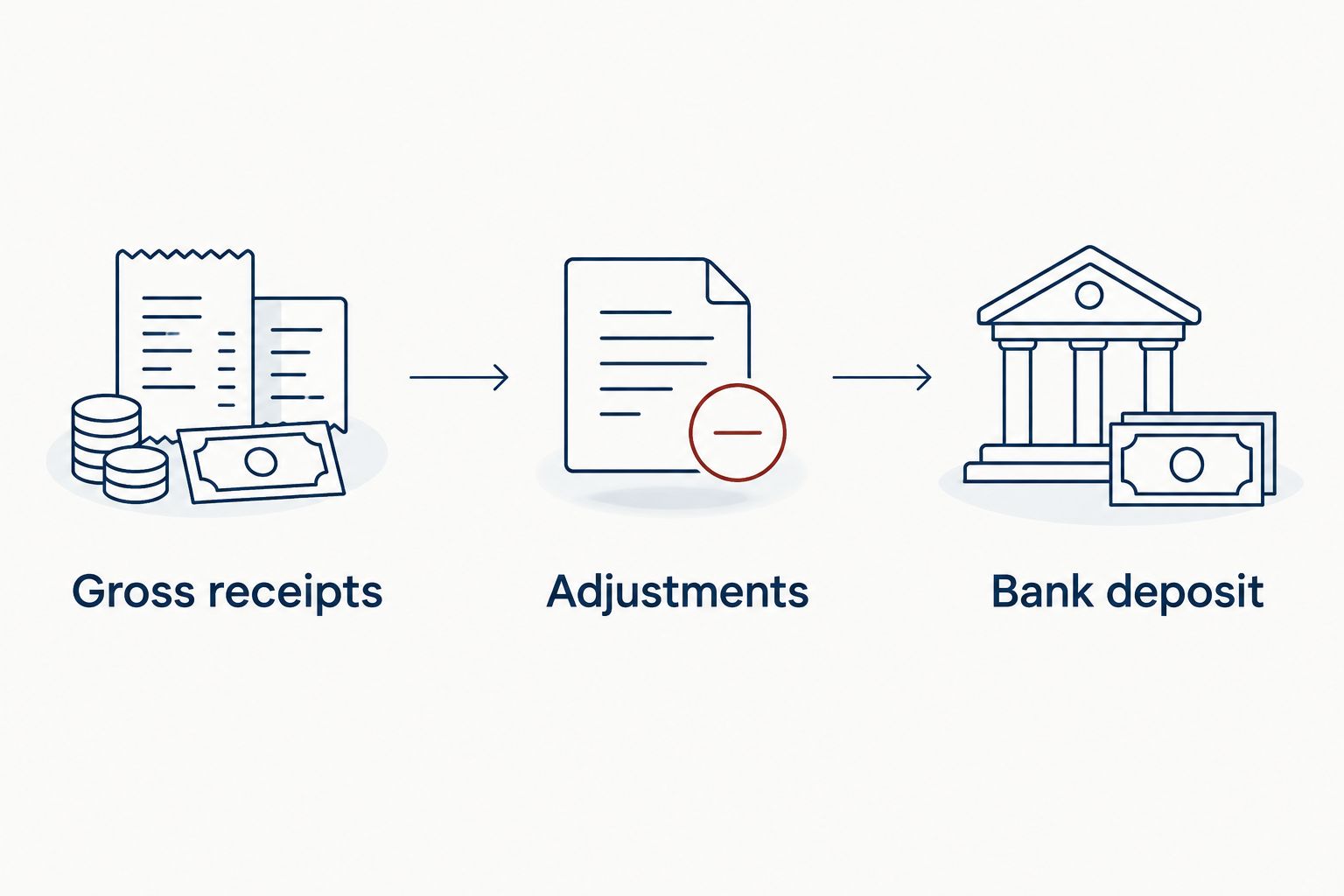
Reconcile the underlying activity before matching the transfer to your bank.
Do not force a payout to equal a single reservation. A transfer can include activity from multiple reservations or adjustments. Keep both reservation and payout references so you can answer either question: what happened on this stay, and what made up this deposit?
Tax handoff configuration
Close the period and prepare the rental package
- Reconcile the bank statement and review the clearing account. Document outstanding transfers and unresolved differences separately.
- Review income and expenses by property. Examine uncategorized entries, duplicate imports, personal spending, and large purchases requiring capitalization review.
- Prepare a property-level income statement and a supporting transaction ledger. Include rental-use records, personal-use records, and documentation for assets and improvements.
- Reconcile any Form 1099-K to your records through an explanatory worksheet. The information return is a cross-check, not a substitute for calculating taxable rental income.
- Send the package to your preparer with the reporting decision, unresolved questions, and supporting files. Leave depreciation, loss limitations, and final tax adjustments to the appropriate tax workpapers.
Expected result: Your preparer receives an explained set of records rather than a bank download labeled as income.
For a full 2026 calendar year, maintain 12 monthly reconciliations rather than rebuilding the entire year at filing time. At year-end, review the boundary between activity dates, payout dates, and bank-posting dates. Ask your preparer to determine recognition under your accounting method; do not move income between years merely to make the bank match.
The tax strategy for short-term rental hosts guide is the next step for questions beyond payout reconciliation.
Reconcile whenever new payouts arrive
A second workflow uses each new bank deposit as a reconciliation prompt. This is useful when your bookkeeping system already imports bank activity, but the bank feed is a matching aid, not a complete Airbnb revenue feed.
| Workflow | Best for | Advantage | Limitation |
|---|---|---|---|
| Export-led reconciliation | Owners who want direct review of source records | Preserves transaction detail and a visible mapping process | Requires import preparation and exception review |
| Bank-feed-assisted reconciliation | Owners already maintaining connected bank records | Brings new deposits into the review queue | Does not explain gross receipts, fees, or refunds by itself |
For the bank-feed-assisted variant:
- Review a newly imported Airbnb deposit without categorizing it as rental income automatically.
- Locate the corresponding payout detail and underlying activity.
- Post the activity through clearing, then match the bank deposit to the clearing transfer.
- Attach or reference the supporting payout record and mark the reconciliation complete.
The expected result is the same under either method: detailed activity explains revenue, and the bank record confirms cash received. Choose one posting source for each transaction type. Importing platform activity and accepting bank-feed income suggestions independently creates duplicate revenue.
Troubleshooting
The deposit is smaller than the rental receipts
Check platform fees, refunds, and other payout adjustments. Rebuild the settlement from its source detail; do not reduce gross receipts solely because less cash reached the bank. Review cleaning charges and taxes separately rather than assuming every difference is a platform fee.
The clearing account never returns to the expected balance
Look for missing payouts, duplicate imports, unmatched refunds, and transfers crossing the reconciliation cutoff. Review the balance by payout reference. A legitimate in-transit amount needs documentation; an unexplained old balance needs correction.
Rental income appears twice
Inspect both the platform import and the bank feed. If you recorded rental activity through clearing, the bank deposit should normally clear that transfer, not create another income entry. Correct the duplicate while retaining the source records and a clear adjustment history.
Form 1099-K does not match the income statement
Compare the form’s reporting scope with your ledger, including gross amounts, refunds, fees, and timing differences. Confirm the taxpayer information and account coverage. Do not change taxable income just to make it equal an information return.
Personal stays are mixed with guest stays
Reconstruct the use calendar and identify related expenses. Personal-use rules can affect allocation and deductions, so give the dates to your preparer before finalizing the return. Do not classify personal costs as rental expenses simply because the property also earns income.
Customize your workflow
Keep 3 controls in your 2026 close: source preservation, payout matching, and property review. Assign responsibility for each, even when the same person handles all three. Automation should reduce repeated entry without removing the review that explains the numbers.
Add property-level reporting before combining additional listings into the same ledger. Preserve the ability to separate activity by owner and tax entity as well as property; those distinctions matter when preparing returns.
CEOHAVEN’s tax planning, tax preparation, and bookkeeping services fit this broader need. Keep the scope clear: organizing payouts establishes the accounting trail, while determining deductions and reporting treatment requires the relevant tax facts.
FAQ
Do Airbnb payouts automatically go on Schedule E?
No. Rental real estate income generally goes on Schedule E for an individual owner, but substantial services for occupants and the ownership structure can change the reporting treatment. Confirm the destination before mapping the ledger.
Should I report the Airbnb deposit as gross rental income?
Do not use the net deposit as a substitute for gross rental records. Reconcile receipts, refunds, platform fees, and other adjustments to the amount transferred to your bank.
Can I automate the Airbnb payouts to Schedule E workflow?
You can automate parts of importing and matching, but a bank feed alone does not establish gross rental income or the correct tax schedule. Keep source records, review exceptions, and confirm the tax mapping.
Does an average stay of seven days mean I must use Schedule C?
No. The seven-day average-use rule concerns passive-activity classification and does not by itself determine Schedule C versus Schedule E reporting. Services provided to occupants require a separate analysis.
Where do Airbnb host fees belong in my books?
Track host fees separately from gross rental receipts and connect them to the relevant payout. Your preparer can then map the expense to the appropriate return category without losing the settlement detail.
What if my Airbnb Form 1099-K differs from my books?
Prepare a reconciliation explaining the difference rather than forcing the books to match. Compare reporting scope, gross activity, refunds, fees, timing, and taxpayer information.
What should I send my tax preparer for 2026?
Send property-level income statements, transaction detail, payout reconciliations, bank statements, rental and personal-use dates, and asset documentation. Include information returns and unresolved questions about services, ownership, or reporting treatment.
One last thing
A zero clearing balance does not prove the rental return is correct. You can reconcile every payout while still misclassifying an improvement, omitting personal-use days, or using the wrong reporting schedule. For 2026, close the cash trail and the tax questions separately.